Why System Memory Still Matters in GPU Server Builds
GPUs get the budget, the press release, and the executive attention. But system memory still decides whether a GPU server build feeds accelerators cleanly or quietly turns expensive hardware into an idle, throttled, swap-heavy mess.
I know that sounds backward in a market where buyers brag about H100s, H200s, B200s, NVLink, FP8 throughput, and 400GbE fabric, but the ugly operational truth is that GPU server memory planning still begins with the CPU-side memory subsystem because data must be staged, decoded, cached, pinned, transferred, scheduled, and recovered before those expensive accelerators do useful work. Why would anyone spend six figures on GPUs and then treat system memory like an afterthought?
NVIDIA’s own DGX H100/H200 documentation makes the point without drama: the H100 configuration lists 640GB of GPU memory, the H200 configuration lists 1,128GB of GPU memory, and the same system still carries 2TB of system memory using 32 DIMMs. That is not decoration. That is architecture.
Here is my blunt read: CPU RAM vs GPU VRAM is not a rivalry. It is a pipeline. VRAM holds the hot tensors, model shards, KV cache, embeddings, activations, and high-speed working data. System RAM handles the messy world around that work: dataloaders, preprocessing queues, host buffers, OS services, containers, logging agents, storage metadata, failed-job recovery, and the parts of distributed training that refuse to fit into a clean benchmark slide.
So when someone asks, “how much RAM does a GPU server need?” I do not start with a generic number. I ask what the machine is doing at 2:17 a.m. when the model is checkpointing, the storage layer is coughing, Kubernetes has overpacked the node, and eight GPUs are waiting on a host-side bottleneck.
The Expensive Myth: “The GPUs Have Memory, So We’re Fine”
The lie sells hardware.
System memory for GPU servers matters because HBM is fast but local, limited, and expensive, while CPU-attached DDR4 or DDR5 RAM is the wider staging area that keeps data movement, process isolation, and workload orchestration from falling apart during real production use.
The market is making this harder, not easier. Stanford HAI’s 2025 AI Index Report says training compute for notable AI models is doubling about every five months, while dataset sizes are doubling about every eight months. That should scare anyone sizing AI server RAM requirements from a recycled spreadsheet.
And this is not just an AI lab problem. The U.S. Department of Energy reported that data center load growth tripled over the past decade and is projected to double or triple by 2028, based on Lawrence Berkeley National Laboratory work. Berkeley Lab also reported that U.S. data centers consumed about 4.4% of total U.S. electricity in 2023 and could reach 6.7% to 12% by 2028, depending on broader demand growth. DOE’s data center energy release and Berkeley Lab’s summary both point to the same direction: accelerated infrastructure is becoming industrial infrastructure.
And industrial infrastructure punishes sloppy memory math.
If you are building around newer platforms, this is where DDR5 server memory starts to make sense: higher-generation platforms, higher DIMM density, modern CPU memory channels, and better alignment with current AI server build cycles. For stable legacy fleets, DDR4 server memory still has a very real role, especially when the platform is already validated and the workload does not justify a full-node refresh.
Where GPU Server Memory Actually Breaks
Most bad GPU server builds do not fail spectacularly. They limp.
They show up as 52% GPU utilization on hardware that finance expected to run at 85%. They show up as dataloader stalls, swap activity, NUMA imbalance, noisy-neighbor container behavior, checkpoint delays, and “random” training jobs that run well on Tuesday and crawl on Friday.
The table below is the version I would put in front of a skeptical infrastructure buyer.
Workload pattern
What breaks first
Why system RAM matters
Procurement note
LLM fine-tuning on 4–8 GPUs
Dataloader and checkpoint pressure
Host RAM buffers tokenized data, pinned memory, logs, and recovery states
Do not size only against GPU VRAM; leave headroom for orchestration
RAG / embedding pipeline
CPU preprocessing and vector batch staging
Text parsing, chunking, metadata, and batch queues hit RAM before GPU execution
Memory capacity can matter more than peak DIMM speed
Multi-tenant inference
Container sprawl and host overhead
Each service stack consumes RAM outside VRAM, especially with monitoring agents
Overcommitment looks profitable until latency jumps
Computer vision training
Image decode and augmentation pipeline
CPU RAM absorbs decoded frames and transformations before transfer
Fast GPUs expose weak host memory planning fast
HPC simulation with GPU acceleration
NUMA and socket imbalance
CPU memory locality affects data feeding and MPI behavior
Buy the population layout, not only the DIMM label
Legacy AI nodes
DDR4 capacity ceiling
Older platforms may still be useful if memory is matched and validated
Cheap mixed RAM can cost more than approved replacement modules
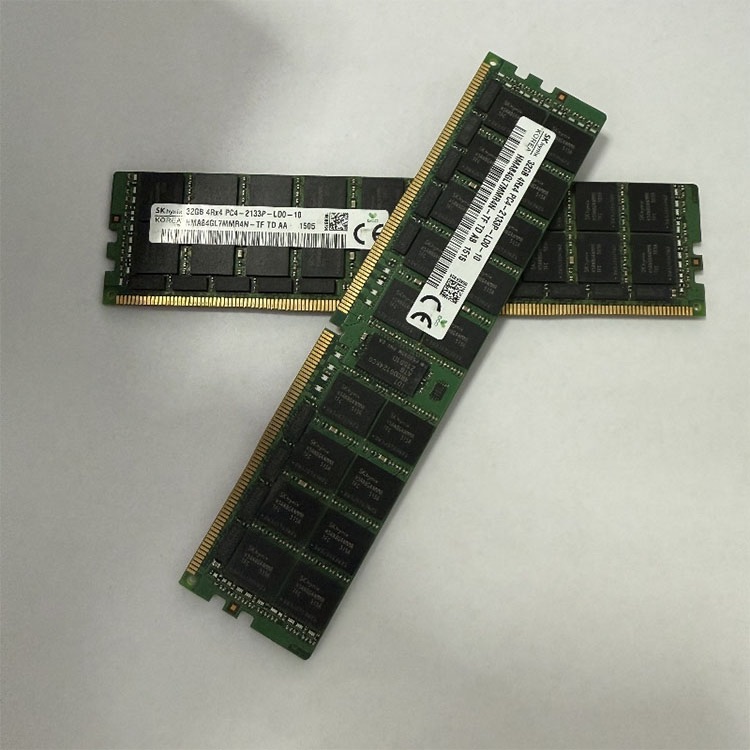
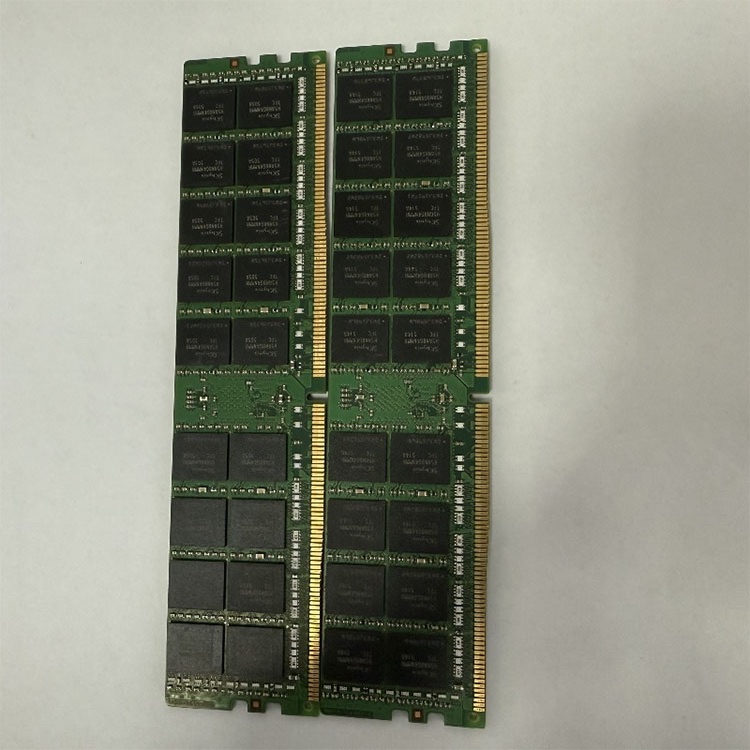
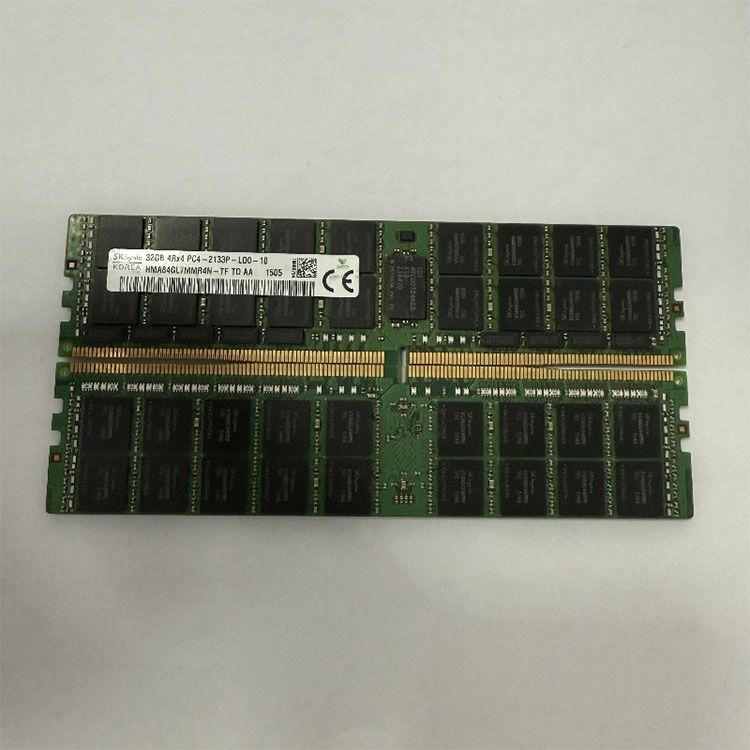
There is a nasty procurement habit I see too often: buyers obsess over GPU count and then ask for “whatever 64GB sticks are available.” But server memory is not retail RAM with a different sticker. ECC, RDIMM, LRDIMM, rank structure, speed grade, voltage, BIOS support, and population order matter.
That is why I would send any serious buyer to a server memory quality testing and warranty process before I would let them argue about tiny unit-price differences. ServerDIMM’s own quality page emphasizes compatibility review, DDR4/DDR5 generation checks, ECC RDIMM or LRDIMM validation, part-number review, and pre-shipment screening. That is the boring work that prevents expensive failures.
Capacity Is Not the Same as Bandwidth
More RAM helps.
But if the DIMMs are in the wrong slots, or spread unevenly across CPU sockets, or mixed across unsupported rank structures, then capacity becomes a comfort blanket. It looks good in a purchase order and performs badly under load.
I like ServerDIMM’s phrasing on memory population order: buy the layout, not the module. That is exactly how GPU server build guide work should be done. A 2TB memory target is not one line item. It is socket symmetry, channel fill, DIMM type, rank behavior, supported speed, and platform validation.
The International Energy Agency’s Energy and AI analysis projects global data center electricity consumption to reach about 945 TWh by 2030 in its base case, with accelerated server electricity consumption growing about 30% annually. That number should change how we talk about server builds: wasted GPU utilization is not just a performance issue; it is an energy, cooling, rack-density, and capital-efficiency problem.
Here is the part vendors do not like to say loudly: a GPU server with underfed accelerators is not “almost optimized.” It is a financial leak with fans.
My Practical Rule for AI Server RAM Requirements
I do not trust universal formulas.
Still, when I have to sanity-check GPU server RAM requirements quickly, I use ratios as a starting argument, not a final design. For many AI training and inference nodes, I want enough system memory to cover OS overhead, container overhead, dataloading, preprocessing, pinned memory, batch staging, telemetry, checkpointing, and worst-case job overlap. In many real builds, that means CPU RAM can easily exceed total GPU VRAM, sometimes by a wide margin.
For an 8-GPU H100-class server with 640GB of total GPU memory, a 1TB system RAM plan may be defensible for controlled inference or narrow workloads. But for training-heavy, multi-tenant, data-prep-heavy, or mixed-use AI infrastructure, 2TB is not extravagant. It is often the adult number.
And yes, this is where procurement gets political.
Finance asks why the RAM budget is climbing. The infrastructure team says “stability.” The AI team says “throughput.” The reseller says “we can save money with mixed lots.” Then someone opens the vendor guide and realizes RDIMM and LRDIMM are not friendship bracelets.
Before mixing anything, read a sober compatibility guide like Can You Mix Server RAM?. The short version: sometimes, but only inside platform rules. Same DDR generation. Same supported DIMM type. Correct ECC behavior. Correct population order. Correct CPU socket symmetry. Correct rank and speed behavior. Otherwise you are not saving money; you are buying uncertainty.
DDR4, DDR5, ECC RDIMM, and the Boring Parts That Save the Build
The best RAM for GPU server build decisions usually come down to four questions:
Is the platform DDR4 or DDR5?
Does it require ECC RDIMM, LRDIMM, or another approved module type?
What total capacity is needed per node, per socket, and per GPU?
Can the supplier provide consistent part numbers, tested inventory, and documentation before deployment?
That last question matters more than many buyers admit. A bulk server RAM supplier focused on DDR3, DDR4, DDR5, ECC, RDIMM, and LRDIMM supply is not just selling capacity. The value is in repeatable sourcing: known brands, tested inventory, compatibility review, and a quoting process that asks for server model, target capacity, module type, quantity, and destination before pretending everything is simple.
For current AI nodes, I would usually look first at DDR5 RDIMM options such as 64GB, 96GB, and 128GB modules, then validate platform support. ServerDIMM’s Micron 96GB DDR5 5600 2Rx4 server RAM listing is a useful example of the level of detail serious buyers should care about: capacity, generation, rank configuration, speed grade, MPN, and application.
The label matters.
A 96GB DDR5-5600 2Rx4 RDIMM is not interchangeable with a random 96GB module pulled from another platform just because the capacity matches. In GPU servers, small compatibility errors create large operational noise.
The Hard Truth: GPU Utilization Is a Memory Story
Executives want GPU utilization charts because they are easy to understand. Green line up, good. Green line down, bad.
But the green line is often downstream of host memory discipline. If the CPU-side memory layer cannot feed batches, keep preprocessing ahead of training, maintain cache pressure, and absorb orchestration overhead, then the GPUs wait. They do not complain. They just sit there burning expensive rack power while dashboards lie politely.
That is why I dislike lazy GPU server memory sizing. It treats system RAM as a supporting actor when it is really part of the data plane. In a serious AI server build, memory bottlenecks in GPU servers deserve the same attention as GPU SKU, PCIe generation, NVLink topology, NIC speed, storage layout, and cooling envelope.
So here is the opinionated version: if the GPU budget is sacred but the RAM budget is negotiable, the build process is already broken.
FAQs
How much RAM does a GPU server need?
A GPU server needs enough system RAM to support the operating system, containers, dataloaders, preprocessing, pinned memory, checkpointing, monitoring agents, and concurrent jobs without swapping or starving the accelerators, which usually means sizing CPU RAM from workload behavior rather than copying a fixed capacity rule. For light inference, 512GB to 1TB may work. For 8-GPU training-heavy nodes, 1TB to 2TB is often more realistic.
What is the difference between CPU RAM and GPU VRAM?
CPU RAM is the server’s general-purpose system memory for host processes, data staging, orchestration, preprocessing, and operating system activity, while GPU VRAM or HBM is the accelerator-local memory used for high-speed model execution, tensors, activations, KV cache, and GPU-resident workloads. In practice, they work together. VRAM runs the hot path; system RAM keeps the rest of the machine from starving that path.
Is DDR5 always better than DDR4 for GPU servers?
DDR5 is better for GPU servers when the platform supports it, the workload benefits from higher bandwidth or newer density options, and the procurement plan can validate module type, capacity, speed, rank structure, and population layout without creating support risk. DDR4 can still be the right answer for older validated fleets. The wrong DDR5 module is worse than the right DDR4 module.
Can I mix server RAM in a GPU server build?
Server RAM can be mixed only when the server platform explicitly supports the exact combination of DDR generation, ECC behavior, RDIMM or LRDIMM type, rank structure, capacity layout, speed behavior, CPU socket symmetry, and DIMM population order used in the final configuration. Treat mixing as an exception. In GPU servers, unsupported memory mixing can create boot failures, downclocking, instability, or unpredictable workload behavior.
What causes memory bottlenecks in GPU servers?
Memory bottlenecks in GPU servers happen when CPU-side RAM capacity, memory bandwidth, NUMA placement, DIMM population, storage caching, dataloader behavior, or host-to-GPU transfer planning cannot keep accelerators continuously supplied with useful work. The symptom is often low GPU utilization. The cause is often upstream: weak preprocessing, bad batching, insufficient RAM, or an unbalanced memory layout.
Your Next Steps: Stop Buying GPU Servers Like Spec Sheets
Do not size GPU server memory from marketing copy.
Audit the workload. Count GPUs, but also count datasets, containers, users, checkpoints, preprocessing steps, NUMA boundaries, memory channels, DIMM slots, and failure domains. Then source memory by platform rules, not by wishful thinking.
For a real build, send your server model, CPU generation, GPU configuration, target total RAM, preferred DIMM capacity, DDR4 or DDR5 requirement, ECC RDIMM/LRDIMM rule, and quantity target to a supplier that can validate before shipment. Start with ServerDIMM’s bulk server RAM sourcing path and make system memory a design decision, not a last-minute line item.
ServerDimm supplies new and used branded server memory for distributors, OEM buyers, resellers, and data center teams. We support DDR4 and DDR5 sourcing with tested inventory, compatibility checks, and responsive quote service.