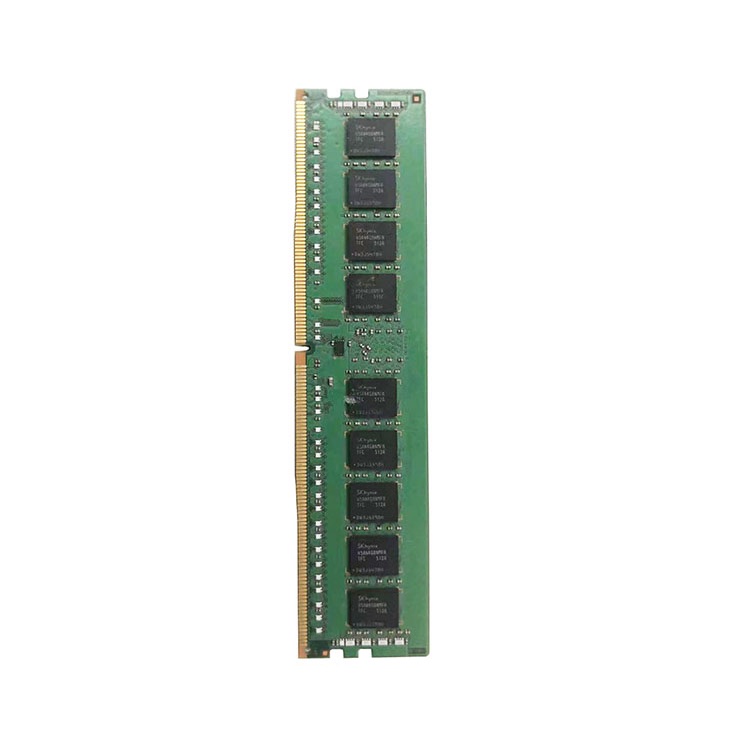
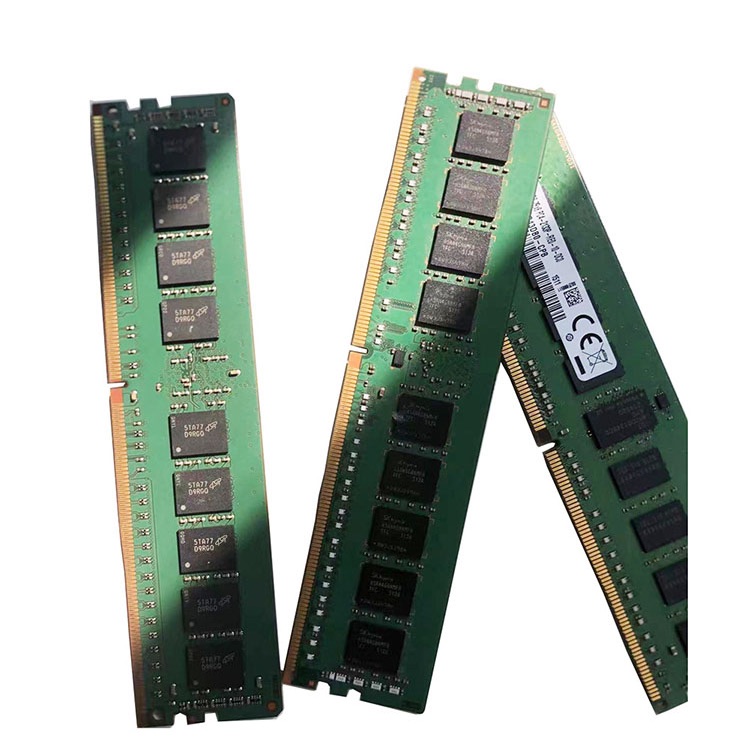
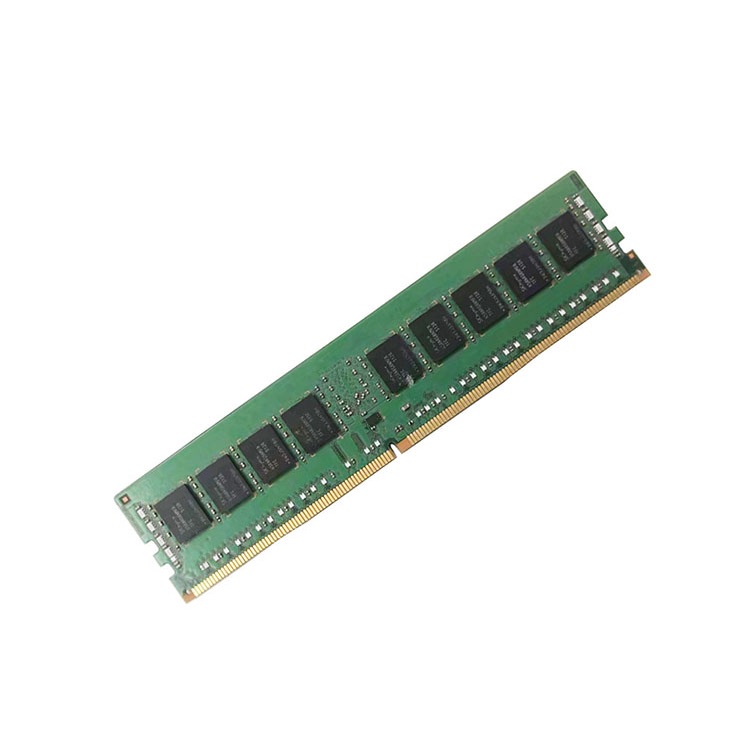
A server memory support list is not a shopping list. It is a map of what the vendor tested, what the platform tolerates, and what procurement teams must verify before a rollout turns into a troubleshooting bill.
The List Is Not the Truth. It Is the Evidence Trail.
Read it slowly.
A server vendor’s memory support list looks boring until a 2 a.m. maintenance window collapses because someone bought “the same” 64GB DDR4 RDIMM without checking rank, speed behavior, CPU generation, slot population, firmware level, and vendor-specific qualification notes. Who pays for that mistake?
I have watched smart buyers get fooled by a clean-looking quote. The DIMM capacity matched. The speed matched. The brand even looked familiar. But the module was a different rank layout, the server downclocked, the BIOS threw a warning, and the customer blamed the supplier before admitting nobody had read the vendor memory list properly.
That is the hard truth: server memory compatibility is not decided by a friendly product title. It is decided by the platform.
A server memory support list, sometimes called a server RAM compatibility list, memory QVL, qualified vendor list, supported memory matrix, or server vendor memory list, is the manufacturer’s documented record of memory configurations that have been validated or approved for a specific server model. It usually covers memory generation, DIMM type, speed, capacity, rank, CPU population, slot order, firmware behavior, and sometimes exact part numbers.
And no, I do not treat it as gospel. I treat it as legal paperwork written by engineers.
That distinction matters.
Google’s famous field study, DRAM Errors in the Wild, analyzed memory errors across Google’s server fleet over more than two years and many millions of DIMM days. The paper reported error rates far higher than many lab assumptions and found that more than 8% of DIMMs were affected by errors per year. That does not mean every compatibility mistake creates a memory error. It means memory is not a casual component. It fails, it degrades, it behaves differently under load, and it deserves adult supervision.
So when a vendor says a configuration is supported, I ask: supported how, under which processor, at which speed, in which slot pattern, and with which DIMM type?
What a Server Memory Support List Usually Tells You
A server memory support list is a controlled reference document that helps buyers match server RAM to a validated platform configuration. It is not just a list of brands. It is where server memory compatibility becomes measurable.
The exact format changes by vendor. Dell, HPE, Lenovo, Supermicro, Cisco UCS, Intel server boards, and white-box platforms all publish memory guidance differently. Some vendors use manuals. Some use configurators. Some use QuickSpecs. Some hide the useful details in population-rule PDFs that procurement never opens.
That is a mistake.
Official vendor documentation often tells you things a reseller listing will not. HPE publishes memory population guidance for ProLiant Gen11 systems, including DDR5 SmartMemory behavior and Intel Xeon Scalable processor rules in its HPE Gen11 memory population document. Dell explains balanced memory concepts and slot population logic in its PowerEdge memory population guidance. Lenovo’s ThinkSystem documentation can be brutally specific; for example, the ThinkSystem ST650 V3 memory installation page states that DDR5 DIMMs must operate at the same speed in the same system and that population must be identical between processors.
That is not marketing copy. That is the rulebook.
Before quoting, I would pair the vendor list with a practical part-number check. ServerDimm’s guide on how to read a server memory part number is useful here because most compatibility failures start with lazy reading: “64GB DDR4” is not enough. You need the module type, rank, chip width, speed bin, ECC status, and manufacturer part identity.
Here is the fast breakdown.
Support List Field
What It Actually Means
Why Buyers Get It Wrong
What I Check Before Approval
Server model
Exact chassis or platform family, such as Dell PowerEdge R760, HPE ProLiant DL380 Gen11, Lenovo ThinkSystem SR650 V3
They assume nearby models share the same rules
Service tag, machine type, CPU family, BIOS level
Memory generation
DDR4 or DDR5
They treat DDR4 and DDR5 as speed tiers, not physical and electrical generations
Platform generation, slot keying, CPU memory controller
Module type
RDIMM, LRDIMM, 3DS RDIMM, MRDIMM, NVDIMM, or UDIMM
They mix server memory types because both say “ECC”
Vendor matrix and existing installed DIMM type
Capacity per DIMM
16GB, 32GB, 64GB, 128GB, 256GB, 512GB
They buy capacity without checking rank and density limits
Max DIMM capacity per slot and per CPU
Rank and organization
1Rx4, 2Rx4, 2Rx8, 4Rx4, 8Rx4
They ignore rank because marketplaces hide it
Existing DIMM label and vendor support notes
Speed
2666, 2933, 3200, 4800, 5600, 6400 MT/s
They assume faster always runs faster
CPU generation, 1DPC vs 2DPC, BIOS speed table
Population order
Which slots must be filled first
They fill empty slots “symmetrically” by eye
Official slot diagram and CPU socket balance
Firmware notes
BIOS/iDRAC/iLO/UEFI requirements
They skip updates until the server refuses to POST
Minimum firmware version and release notes
Vendor part number
OEM or original manufacturer part identity
They accept “compatible with” as proof
Exact MPN, label photo, lot consistency
The short version: a support list tells you what the server vendor is willing to stand behind. A marketplace listing tells you what somebody wants to sell.
Those are not the same thing.
The Compatibility Traps Hidden in Plain Sight
Most server RAM compatibility failures are not dramatic. They are ordinary. That is what makes them expensive.
A buyer sees “Samsung 64GB DDR4 3200 ECC Registered” and assumes the deal is safe. But the installed server may need 2Rx4 RDIMM, not 4Rx4 LRDIMM. Or it may support 3200 MT/s only at 1 DIMM per channel. Or it may downclock to 2933 MT/s when fully populated. Or the second CPU may need matching memory symmetry before the server stops complaining.
The trap is not ignorance. It is overconfidence.
Trap 1: Treating the Memory QVL as a Brand List
A memory QVL is not saying, “Samsung works.” It is saying a specific module class, sometimes a specific part number, passed validation in a specific platform context.
Samsung, Micron, SK hynix, and Kingston all make many different server memory modules. A Samsung 64GB DDR4 3200 2Rx4 RDIMM and a Samsung 64GB DDR4 3200 LRDIMM do not behave the same way. A Micron DDR5 4800 2Rx8 RDIMM and a Micron DDR5 5600 2Rx4 RDIMM belong to different deployment conversations.
That is why I like to keep the ServerDimm DDR5 server memory category close when checking current DDR5 sourcing options, but I still do not approve an order from category fit alone. Category fit is a starting point. Compatibility proof is the finish line.
Trap 2: Mixing RDIMM and LRDIMM Because Both Are “Server RAM”
This one still annoys me.
RDIMM and LRDIMM are not casual substitutes. They use different buffering behavior, and many server platforms do not support mixing them in the same system. If your existing fleet uses DDR4 ECC RDIMM, do not let a supplier slide in LRDIMM because stock was easier.
The ServerDimm article Can You Mix Server RAM? makes the right point: mixing should be treated as an exception requiring validation, not a default procurement method.
I will say it more sharply. If your supplier cannot explain whether the quote is RDIMM, LRDIMM, 3DS RDIMM, or another module type, they are not quoting memory. They are quoting risk.
Trap 3: Ignoring CPU-Socket Symmetry
Dual-socket systems punish sloppy memory planning.
In a two-processor server, memory population often needs to be balanced across CPU 1 and CPU 2. That balance affects memory bandwidth, NUMA behavior, and sometimes boot support. You cannot always throw all new DIMMs beside one CPU and call it an upgrade.
Lenovo’s ThinkSystem documentation is explicit about identical population between processors in certain modes. Dell talks heavily about balanced memory configurations. Intel server board guidance also tends to use strict channel and slot logic, including fill order by channel.
This is where “supported memory configuration” becomes more important than “supported memory module.”
A DIMM can be valid. The configuration can still be wrong.
Trap 4: Believing Speed Labels Instead of Speed Tables
DDR5-5600 on the label does not guarantee DDR5-5600 in the server.
Speed depends on CPU generation, number of DIMMs per channel, rank, BIOS, and platform limits. A 1DPC configuration may hold a higher data rate, while a 2DPC configuration may downclock. That is not a defect. That is memory controller behavior.
I have seen buyers complain that “the memory is fake” because 5600 MT/s modules trained at 4800 MT/s. Sometimes fraud is real. Sometimes the buyer simply ignored the server vendor’s speed table.
Both are painful. Only one is the supplier’s fault.
Trap 5: Confusing “Compatible” With “Qualified”
This is where the industry gets slippery.
“Compatible” can mean electrically likely to work. “Qualified” usually means tested, documented, and accepted under a vendor’s support position. The gap between those two words is where RMAs are born.
If you buy third-party ECC RDIMM for a server fleet, you may be making a rational decision. I am not anti-third-party. I am anti-vague. The buyer should demand a compatibility review, part-number confirmation, testing evidence, and a written substitution rule before releasing the PO.
ServerDimm’s quality testing and warranty support page fits naturally into that process because it frames memory buying around specification review, ECC RDIMM validation, pre-shipment screening, part-number checks, and RMA handling. That is the conversation serious procurement teams should be having.
How I Read the List Before I Trust a Quote
I use a dirty little checklist. It is not elegant. It works.
First, I identify the exact server platform: vendor, model, generation, CPU family, and firmware state. “DL380” is not enough. “HPE ProLiant DL380 Gen11 with 4th Gen Intel Xeon Scalable processors” is closer. “Dell PowerEdge R760 with 2 × Intel Xeon Gold 6430, BIOS version X, target 1TB DDR5 RDIMM” is better.
Then I inspect the installed memory. Not the purchase order. The installed memory.
Look at the module label. Pull the iDRAC, iLO, XClarity, IPMI, dmidecode, or OS inventory. Capture capacity, speed, rank, manufacturer, serial number, and part number. If the server currently uses 32GB DDR4 3200 2Rx8 RDIMM and the buyer wants to expand to 512GB, the support list must be checked against the final population plan, not only the new modules.
Then I compare the target configuration against the vendor memory support list.
Here is the workflow I use in plain language:
Confirm the server model and CPU generation.
Confirm DDR4 or DDR5.
Confirm RDIMM, LRDIMM, 3DS RDIMM, or other module type.
Confirm ECC requirement.
Confirm capacity per DIMM and total capacity.
Confirm rank and chip organization.
Confirm 1DPC or 2DPC behavior.
Confirm slot population order.
Confirm whether CPUs must be populated identically.
Confirm BIOS, firmware, and management-controller requirements.
Confirm whether the exact MPN is required or whether equivalent original manufacturer modules are acceptable.
Confirm the supplier’s substitution policy in writing.
That last point is not paperwork theater.
In May 2024, the U.S. Department of Justice announced that Onur Aksoy was sentenced to 78 months in prison in a major counterfeit Cisco networking equipment case; the DOJ said the scheme generated over $100 million in revenue and involved hospitals, schools, government agencies, and military systems. Read the DOJ counterfeit Cisco equipment case and then tell me documentation is optional.
Memory is not Cisco switching hardware, obviously. But the supply-chain lesson is the same: labels, packaging, and marketplace confidence are not proof.
For procurement teams handling repeat orders, I would also connect this process to a supplier discipline document like ServerDimm’s server memory sourcing checklist for procurement teams. Compatibility is not only technical. It is commercial, logistical, and legal.
The Real Meaning of “Supported Memory Configuration”
Supported memory configuration means the full memory layout is inside the server vendor’s validated rules, including module type, capacity, rank, speed behavior, slot population, CPU symmetry, and firmware conditions. It is bigger than one DIMM.
This is the phrase I wish more buyers used.
A supported configuration might be:
32 × 64GB DDR5 4800 2Rx4 ECC RDIMM, balanced across two CPUs, installed in the vendor-defined slot order, running at a validated speed after BIOS update.
An unsupported configuration might be:
A random mix of 16GB, 32GB, and 64GB DIMMs from three brands, some 1Rx4 and some 2Rx8, split unevenly across CPU sockets, because “all of them are ECC.”
The second one may boot. That does not make it professional.
Those numbers are not there to scare people. They are there to kill the fantasy that memory is a low-risk commodity.
When you scale from 8 servers to 800 servers, small compatibility shortcuts become statistical events. One odd DIMM type becomes a receiving problem. One unsupported population pattern becomes a performance ticket. One supplier substitution becomes a fleet-standard violation.
This is why I prefer boring quotes. Boring quotes name the exact capacity, generation, speed, rank, module type, brand, MPN, quantity, condition, warranty terms, and substitution rule.
Exciting quotes are cheaper. Then they get expensive.
A Practical Reading Example: From Vendor List to Purchase Approval
Let’s say the target platform is a Dell PowerEdge R760-class system or an HPE ProLiant Gen11-class system running DDR5 RDIMM. The buyer wants to expand capacity for virtualization or database workloads.
The wrong question is: “Do you have 64GB DDR5?”
The better question is: “Can you supply 64GB DDR5 ECC RDIMM modules that match the supported memory configuration for this exact server model, CPU generation, and target slot population plan?”
That phrasing changes the supplier’s behavior. It forces them to answer compatibility, not just inventory.
A clean request should include:
Server brand and exact model
Service tag, machine type, or platform reference if available
CPU model and count
Current memory configuration
Target total memory
Preferred module size
DDR4 or DDR5 generation
RDIMM, LRDIMM, or other supported type
Required brand or approved vendor limits
New or tested used preference
Quantity and deployment schedule
Destination country and warranty expectation
This is also where I would send a controlled inquiry through ServerDimm’s contact page for server memory compatibility support rather than asking for a generic price. A supplier cannot validate what you refuse to describe.
My Hard Opinion: The Cheapest DIMM Is Usually Not the Cheapest Memory
The lowest unit price often wins the meeting and loses the deployment.
I have no problem buying tested used server memory when the project fits. In fact, for mature DDR4 platforms, tested used branded memory can be a rational move if the modules are clearly labeled, screened, matched, and backed by a real warranty process. But I do have a problem with mystery inventory.
A cheap DIMM with no part-number clarity, no test evidence, no population guidance, and no substitution policy is not cheap. It is deferred labor.
The ugly math looks like this:
Buying Decision
Upfront Cost
Hidden Risk
My Verdict
Exact OEM-approved part number from authorized channel
Highest
Lower sourcing flexibility, higher cost
Best for warranty-sensitive or regulated environments
Equivalent branded ECC RDIMM validated against vendor rules
Medium
Needs stronger supplier review
Often the best B2B balance
Tested used branded memory with matching specs and warranty
Lower
Requires lot control and screening proof
Good for mature fleets and budget-driven upgrades
Capacity-only marketplace listing
Lowest
Wrong rank, wrong type, relabeled stock, no support path
False economy
Mixed random DIMM expansion
Looks cheap
Boot failures, downclocking, NUMA imbalance, RMA fights
Don’t do it
The market rewards speed. Infrastructure punishes sloppiness.
That is the tension.
FAQs
What is a server memory support list?
A server memory support list is a vendor-published reference that identifies which memory modules and configurations are validated for a specific server platform, including DDR generation, ECC support, RDIMM or LRDIMM type, capacity, rank, speed behavior, slot population order, and CPU-socket balance rules.
In practice, I use it as the first filter before asking any supplier for a quote. If the planned configuration is outside the vendor’s supported rules, the buyer must decide whether the cost saving is worth the deployment and warranty risk.
How do I check server memory compatibility before buying?
You check server memory compatibility by matching the exact server model, CPU generation, installed memory type, target capacity, DIMM rank, speed, ECC requirement, slot population order, and firmware requirements against the vendor’s memory support list or official technical documentation before approving a purchase.
Do not stop at “DDR4” or “DDR5.” Confirm whether the platform needs RDIMM, LRDIMM, 3DS RDIMM, or another module type, then compare the final population plan across all CPU sockets. The configuration matters as much as the module.
Is a memory QVL the same as guaranteed compatibility?
A memory QVL is not an unconditional guarantee; it is a qualification record showing that specific memory modules or configurations were tested or approved under defined platform conditions, firmware assumptions, and population rules that may not match every real-world server build.
That is why I still ask for part-number confirmation, BIOS notes, slot plans, and substitution rules. A QVL reduces uncertainty. It does not remove the buyer’s responsibility to check the final configuration.
Can I use server RAM that is not on the vendor support list?
You can sometimes use server RAM that is not explicitly listed, but only when it matches the platform’s electrical, mechanical, firmware, ECC, module-type, rank, speed, and population requirements, and when the buyer accepts possible warranty or support limitations.
This is common in the real world, especially with third-party branded ECC RDIMM sourcing. The professional way to do it is to validate the specification, document the approval, test before rollout, and avoid vague “compatible with” substitutions.
Why do RDIMM, LRDIMM, rank, and 2Rx4 matter so much?
RDIMM, LRDIMM, rank, and organizations such as 2Rx4 matter because they describe how the memory module electrically presents itself to the server’s memory controller, which directly affects support, capacity limits, speed training, channel load, and whether the platform will boot reliably.
This is why two modules with the same capacity and speed can behave differently. “64GB DDR4 3200” is a product summary, not a compatibility decision. The support list exists because the details matter.
What information should I send to a supplier for a server RAM quote?
You should send the supplier your server brand and exact model, CPU count and model, current memory configuration, target total capacity, required DDR generation, module type, rank preference if known, preferred brand or MPN, quantity, condition preference, shipping destination, and warranty expectations.
That information lets the supplier quote against a supported memory configuration instead of guessing from a capacity request. Better input produces fewer substitutions, fewer RMAs, and fewer embarrassing installation failures.
Your Next Steps: Make the Memory List Work for You
Before you buy server memory, stop asking for “64GB DDR4” or “128GB DDR5” like those phrases are complete specifications. They are not.
Pull the vendor memory support list. Check the exact server model. Read the population rules. Verify RDIMM or LRDIMM. Confirm rank. Confirm slot order. Confirm CPU symmetry. Confirm firmware. Then force the supplier to quote the part, not the fantasy.
If you already have a server model, current DIMM label, target capacity, or approved vendor requirement, send those details through ServerDimm’s server memory quotation and compatibility support page. Ask for a specification-first quote with testing and warranty terms attached.
ServerDimm supplies new and used branded server memory for distributors, OEM buyers, resellers, and data center teams. We support DDR4 and DDR5 sourcing with tested inventory, compatibility checks, and responsive quote service.