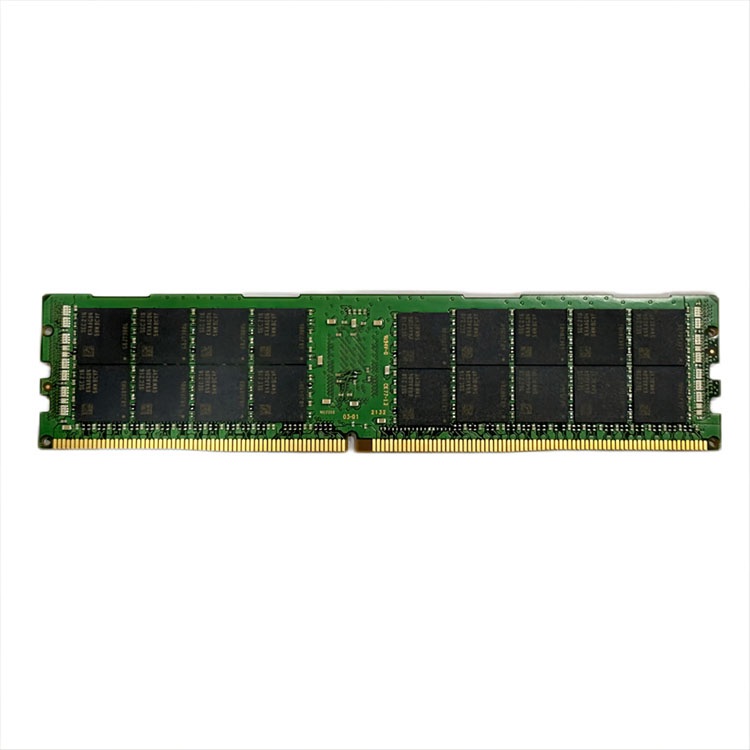
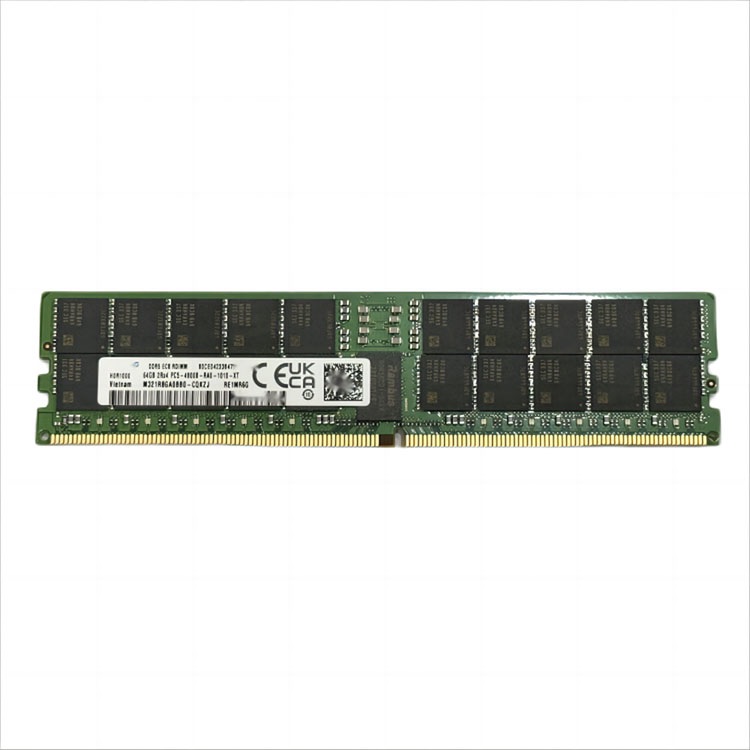
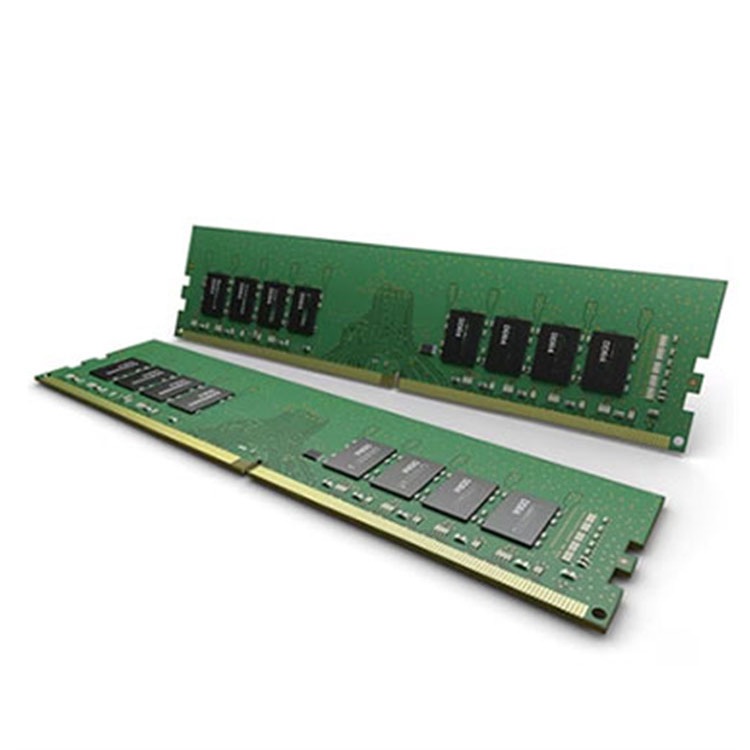
Mixing server RAM is possible only inside strict platform rules. The real risk is not the brand logo; it is type, generation, ECC behavior, rank, capacity layout, CPU socket symmetry, BIOS support, and whether the server silently downclocks or refuses to boot.
The Short Answer Buyers Hate: Yes, But Not Like Desktop RAM
Start with labels.
You can mix server RAM in limited, boring, rule-bound situations, but once you cross memory type, generation, ECC behavior, or CPU-socket population rules, the server stops being “flexible” and starts acting like a machine designed by people who hate improvisation.
So why do buyers still gamble?
Because the label says Samsung. Because the speed looks close. Because the reseller swears it “worked in another Dell.” I have heard all of it, and most of it is half-true in the way that gets IT teams burned. The hard truth: server RAM compatibility is not a vibe. It is a population map.
The safest answer is this: you may mix server RAM only when the modules are supported by the server platform, use the same DDR generation, match the required DIMM type, follow ECC rules, respect CPU-channel symmetry, and stay inside the vendor’s memory population guide. Dell is direct about this in its PowerEdge guidance: RDIMMs and LRDIMMs cannot be mixed, and dual-CPU memory layouts must match in size and position.
That is not a suggestion. That is a boot-risk warning.
If you are sourcing for real fleets, not hobby boxes, start from platform documentation and then work backward into supply. ServerDimm’s bulk server RAM supplier page is structured around exactly the variables that matter in procurement: DDR3, DDR4, DDR5, ECC, RDIMM, LRDIMM, new stock, pulled stock, brand continuity, and compatibility-led quotation.
The Rule Nobody Wants to Hear: Type Beats Brand
The logo is overrated.
I would rather install matching Micron and SK hynix RDIMMs that follow the server’s supported memory matrix than install two “same brand” modules with mismatched rank structure, incompatible density, or a bad population order. That opinion annoys brand-loyal buyers. Good. It should.
Kingston’s server memory guidance says different memory types such as UDIMM, RDIMM, LRDIMM, and MRDIMM generally cannot be mixed in the same system, and mixing ECC with non-ECC memory may disable ECC features or stop boot entirely. Kingston also notes that different speeds or capacities can force the system down to the slowest module and may reduce multichannel performance in some layouts: Kingston server memory compatibility guidance.
Here is the practical hierarchy I use before approving a server memory upgrade:
Server model and CPU generation first
DDR generation second
DIMM type third
ECC behavior fourth
Rank, capacity, speed, and channel layout fifth
Brand last
Yes, last.
For example, a Dell PowerEdge R740 using DDR4 RDIMM does not magically become compatible with DDR4 LRDIMM because both are “server RAM.” A Lenovo ThinkSystem SR650 V2, HPE ProLiant DL380 Gen10, Supermicro X13, or Dell PowerEdge R750 still expects you to obey its population chart. If you want a cleaner buying path, compare the actual module families in a structured catalog like ServerDimm’s DDR4 server memory catalog and DDR5 server memory catalog before you start mixing lots.
What You Can Mix, What You Should Not Touch
The table below is the part procurement teams should print before they send another vague RFQ.
Mixing Scenario
Usually Safe?
What Actually Happens
My Field Opinion
Same DDR generation, same type, same ECC, same speed, same capacity, different brand
Often yes
Usually boots if platform-supported and populated correctly
Acceptable for maintenance buys if tested
Same type and ECC, different speeds
Sometimes
Server often runs all DIMMs at the slowest installed speed
Fine only when performance loss is acceptable
Same type and ECC, different capacities
Sometimes
May work under vendor rules, but can reduce channel balance
Use only when the manual allows it
RDIMM + LRDIMM
No
Often no boot or unsupported configuration
Do not do it
DDR4 + DDR5
No
Physically and electrically incompatible
Not a real option
ECC + non-ECC
No, in servers
ECC may disable or system may fail boot
Bad buying discipline
Different ranks within allowed rules
Sometimes
May work, but speed/population limits apply
Validate before bulk rollout
Different brands with same validated spec
Often yes
Brand alone is not the deciding factor
Test lot consistency, not logo comfort
Dell’s R740 installation manual says all DIMMs must be DDR4, RDIMMs and LRDIMMs must not be mixed, different-speed modules run at the speed of the slowest module, dual-processor configurations must match, and unbalanced memory configurations cause performance loss: Dell PowerEdge R740 memory guidelines.
That one paragraph explains half the bad upgrades I have seen.
ECC Is Not Decoration
ECC matters.
A lot of buyers treat ECC like a checkbox because the module says “server.” That is lazy. ECC is one reason enterprise memory exists in the first place, especially when one bad bit can corrupt a database page, poison a VM, or trigger a nasty reboot during a maintenance window that was supposed to be boring.
Google’s well-known field study, “DRAM Errors in the Wild,” analyzed memory errors across a large fleet of commodity servers over 2.5 years and found more than 8% of DIMMs affected by errors per year, with error rates “orders of magnitude” higher than earlier assumptions: Google Research DRAM Errors in the Wild.
That is the part people miss. Server memory failure is not theoretical. It is boring, statistical, and expensive.
Now add bad mixing.
If you combine unsupported ECC and non-ECC behavior, mix RDIMM and LRDIMM, or ignore population symmetry across CPU sockets, you are no longer just buying cheap RAM. You are betting uptime against a spreadsheet. And when that bet fails, the module vendor, the server vendor, and the procurement team all start pointing at each other.
The 2026 Procurement Twist: Bad Mixing Is Getting More Expensive
Here is the ugly timing.
Memory is not cheap background plumbing anymore. Reuters reported in January 2026 that Counterpoint expected memory prices to jump 40% to 50% in Q1 2026 after a 50% surge the prior year: Reuters on memory price pressure. Then Reuters reported in February 2026 that TrendForce expected conventional DRAM contract prices to jump 90% to 95% quarter-over-quarter in Q1 2026, driven by AI and data center demand: Reuters on DRAM contract price forecasts.
That changes the risk calculation.
When DDR4-3200 RDIMM, DDR5-4800 RDIMM, DDR5-5600 RDIMM, 64GB, 96GB, and 128GB modules are moving fast, buyers get tempted to “make the lot work.” I get it. But scarcity is exactly when sloppy compatibility decisions become more expensive. You do not want to discover after delivery that the “deal” was 128GB LRDIMM when your remaining installed estate is built around 64GB RDIMM.
ServerDimm’s article on which server memory capacities and types are most in demand is useful here because it separates DDR4 maintenance demand from DDR5 density demand. That split matters. A 2019-era DDR4 fleet and a 2025-era DDR5 rollout should not be sourced with the same assumptions.
My Compatibility Checklist Before Any Server RAM Upgrade
I use this checklist because it catches the stupid mistakes early.
Confirm the Server Platform
Get the exact server model, not “Dell 2U” or “HPE Gen10.” Write down Dell PowerEdge R740, R750, R760, HPE ProLiant DL380 Gen10, HPE Gen11, Lenovo SR650 V2, or Supermicro X13. Then confirm CPU count, CPU model, BIOS level, and installed memory map.
Read the Installed DIMMs
Pull the actual part number, not just the capacity. You want manufacturer part number, OEM part number, DDR generation, speed, capacity, rank, ECC type, voltage, and form factor. A module marked 64GB DDR4-3200 2Rx4 RDIMM is not the same buying decision as 64GB DDR4 LRDIMM.
Match Type Before Speed
RDIMM and LRDIMM are not “close enough.” UDIMM, RDIMM, LRDIMM, 3DS LRDIMM, MRDIMM, and persistent memory rules vary by platform. If the type is wrong, speed does not save you.
Balance Across CPU Sockets
Dual-socket servers are not forgiving when CPU 1 and CPU 2 have different layouts. Dell’s PowerEdge guidance explicitly calls for matching memory configuration between CPUs in size and position. In plain language: do not make CPU A rich and CPU B poor.
Pilot Before Bulk Rollout
Test a small lot before committing to 200, 500, or 2,000 modules. Watch POST behavior, BIOS logs, ECC counters, negotiated speed, NUMA layout, memory bandwidth, and workload stability. Then buy.
This is also where supplier discipline matters. I would rather work with a vendor that asks annoying questions upfront than a vendor that ships fast and argues later. ServerDimm’s piece on evaluating a long-term server memory supply partner says the quiet part well: lot traceability, SPD consistency, date codes, and replacement policy matter more than shaving a few dollars off a 32GB ECC RDIMM.
Different Brands: The Most Misunderstood Part
Can you mix different server RAM brands?
Yes, sometimes.
But here is the trap: buyers ask “Can I mix Samsung and Micron?” when they should ask, “Do these modules share the same supported generation, type, capacity class, rank profile, speed behavior, ECC support, voltage, and server population rule?”
A Samsung 32GB DDR4-3200 ECC RDIMM and a Micron 32GB DDR4-3200 ECC RDIMM may be perfectly reasonable in a supported configuration. A Samsung RDIMM and a Micron LRDIMM are not made compatible by famous logos. Brand mixing is not the villain. Spec mixing is.
If you are maintaining older installed infrastructure, ServerDimm’s DDR4 server memory path is the natural place to think about 16GB, 32GB, and 64GB replacement planning. If you are building newer density-driven nodes, the DDR5 server memory category better reflects where 64GB, 96GB, and 128GB modules are showing up in modern buying conversations.
FAQs
Can you mix server RAM?
You can mix server RAM only when the modules stay inside the server manufacturer’s supported memory rules, including DDR generation, DIMM type, ECC behavior, speed limits, rank limits, capacity layout, CPU-socket symmetry, and slot population order. In practice, professional buyers should treat mixing as an exception that requires validation, not a default upgrade method.
Mixing becomes risky when people focus on capacity alone. A 32GB module and another 32GB module may still differ by RDIMM versus LRDIMM, x4 versus x8 organization, rank count, speed bin, or OEM qualification. Always check the service manual first.
Can you mix ECC and non-ECC RAM in a server?
ECC and non-ECC RAM should not be mixed in a server because enterprise platforms usually depend on consistent error-correction behavior across installed memory channels. The result may be a failed boot, disabled ECC protection, unsupported BIOS behavior, or a configuration that technically starts but no longer meets reliability expectations.
For a workstation experiment, someone may try it. For production servers, I would not approve it. ECC exists because memory errors are real, measurable, and operationally expensive.
Can you mix RDIMM and LRDIMM?
RDIMM and LRDIMM should not be mixed in the same server because they use different buffering and load-reduction behavior, and major server vendors commonly list this as unsupported. The system may refuse to POST, halt during memory initialization, or run outside the validated configuration needed for stable production use.
This is the classic bad bargain. The modules may look similar, and both may be “server RAM,” but the memory controller does not grade on intention.
Can you mix different server RAM brands?
Different server RAM brands can often be mixed when the modules share the same supported technical profile and the server’s population guide allows the configuration. Brand alone is usually less important than DDR generation, RDIMM or LRDIMM type, ECC support, capacity, speed, rank, voltage, and slot placement.
I still prefer controlled lots for bulk projects. Mixed brands may work, but mixed supply quality creates more testing burden, more RMA ambiguity, and more procurement friction.
How do you check server RAM compatibility?
Server RAM compatibility is checked by matching the exact server model, CPU generation, BIOS support, installed DIMM type, memory population guide, module part numbers, DDR generation, ECC behavior, capacity, rank, and speed against the vendor’s approved rules. A correct check starts with the platform manual, not the cheapest available module.
For bulk buying, send the supplier your server model list, current memory map, target capacity, preferred brands, and required quantities. A serious supplier should ask for those details before quoting.
Your Next Steps
Do not “try it and see” on production hardware.
Audit the server first. Record the model, CPU count, installed DIMM part numbers, DDR generation, RDIMM or LRDIMM type, ECC behavior, capacity, speed, and current slot population. Then compare that against the vendor memory guide before buying anything.
If you are sourcing for a fleet, send that compatibility profile to a supplier that actually works in enterprise memory, not a random spot-market listing with a pretty price. Start with ServerDimm’s server memory guides and sourcing articles, then request a compatibility-led quote through the ServerDimm bulk server RAM supplier page with your model list, target capacity, required quantity, and preferred delivery region.
ServerDimm supplies new and used branded server memory for distributors, OEM buyers, resellers, and data center teams. We support DDR4 and DDR5 sourcing with tested inventory, compatibility checks, and responsive quote service.