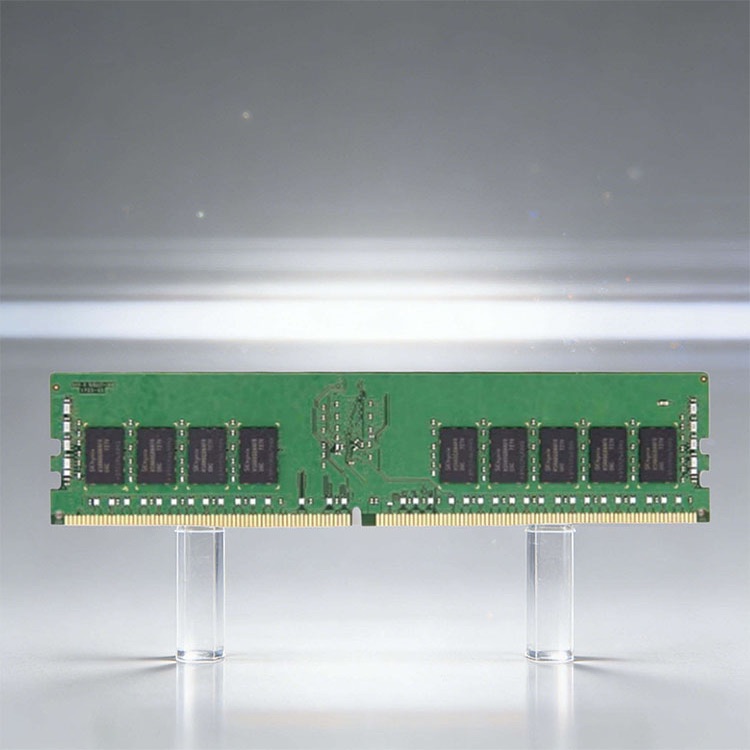
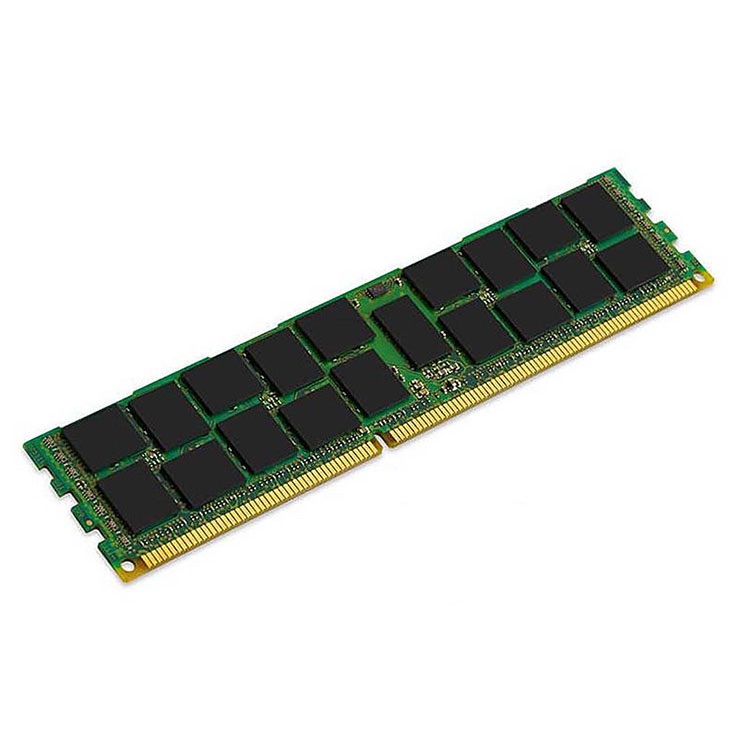
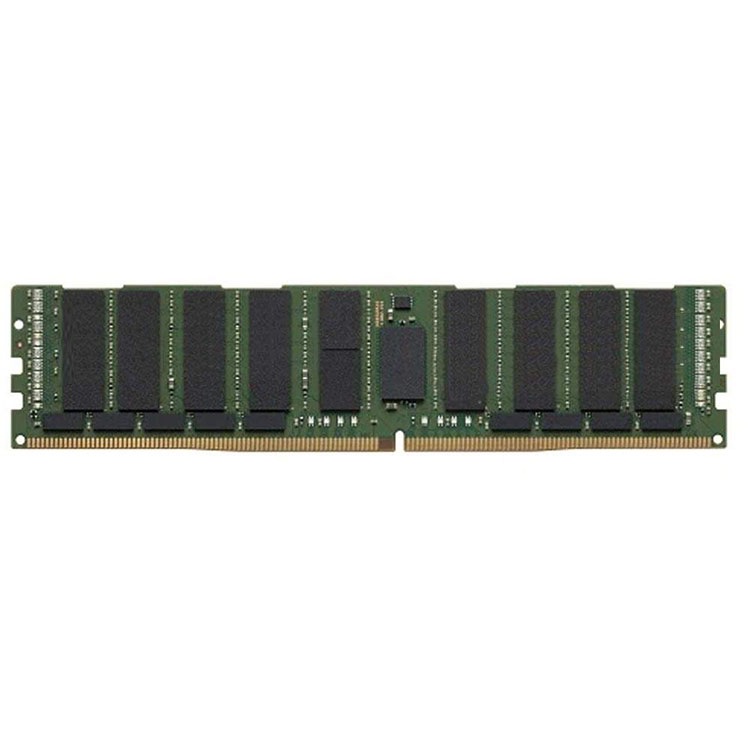
Server memory terms are not harmless jargon. This glossary explains what buyers, engineers, and procurement teams must know before ordering ECC RDIMM, LRDIMM, DDR4, or DDR5 server RAM.
The Server Memory Terms People Pretend They Understand
Labels lie often.
When I review a server memory quote, the number printed in the spreadsheet is rarely the real problem; the trouble hides in the combination of DDR generation, ECC behavior, module buffering, rank layout, CPU memory channels, BIOS support, and the supplier’s willingness to prove what they shipped.
Who pays when the rack refuses to POST?
That is why a Server Memory Glossary is not filler content. It is a buying control. It keeps procurement from treating “64GB DDR4” as a complete specification. It keeps engineers from assuming the buyer knows the difference between RDIMM and LRDIMM. And it keeps both sides from blaming the server when the purchase order was vague from day one.
I have seen this movie too many times: a buyer asks for “Samsung server RAM,” a reseller ships something close, the technician installs it, the server downclocks or fails memory initialization, and then everyone suddenly becomes an expert in rank notation. Too late.
If you need the broader sourcing view first, start with this complete server memory buying guide. Then come back here and use this glossary like a checklist.
Server Memory Glossary: Terms That Actually Change Buying Decisions
Here is the hard truth: most server memory terms matter only when they affect compatibility, capacity, uptime, warranty, or repeat supply. Everything else is catalog decoration.
Term
Plain-English Meaning
Why Buyers Should Care
Engineer’s Trap
Server Memory
Enterprise RAM built for servers, data centers, and workstation-class systems
It is bought for uptime, capacity, validation, and error handling, not RGB heat spreaders
Assuming consumer UDIMM logic applies to PowerEdge, ProLiant, ThinkSystem, or Supermicro platforms
ECC
Error-Correcting Code memory that detects and corrects common memory errors
It protects against certain data integrity failures in databases, virtualization hosts, and compute nodes
Thinking ECC means “no memory risk ever”
RDIMM
Registered DIMM with buffering for command and address signals
Common in enterprise servers using Intel Xeon and AMD EPYC platforms
Mixing it with LRDIMM because both are “server RAM”
LRDIMM
Load-Reduced DIMM designed to reduce electrical load and support larger memory configurations
Useful for higher capacity builds where the platform supports it
Buying LRDIMM for a system validated only for RDIMM
UDIMM
Unbuffered DIMM, common in desktops and some entry systems
Usually not what enterprise servers need
Confusing ECC UDIMM with ECC RDIMM
DDR4
Fourth-generation DDR SDRAM used widely in servers such as Dell PowerEdge R740 and HPE ProLiant Gen10
Still important for replacement, expansion, and tested used inventory
Assuming DDR4 and DDR5 are interchangeable
DDR5
Fifth-generation DDR SDRAM used in newer server platforms, often at 4800 MT/s, 5600 MT/s, and beyond
Higher density and bandwidth, with different platform rules
Treating on-die ECC as the same thing as full server ECC
Rank
A logical group of memory chips accessed together, shown as 1Rx8, 2Rx4, 4Rx4, 2S2Rx4, and similar labels
Rank affects compatibility, population rules, and performance behavior
Reading only capacity and ignoring organization
MT/s
Mega-transfers per second; the effective transfer rate, such as DDR4-3200 or DDR5-5600
Helps compare speed class after platform support is confirmed
Buying the fastest module and expecting the server to run it at that speed
Capacity
Memory size per module, such as 32GB, 64GB, 96GB, or 128GB
Drives total system memory and price-per-GB planning
Forgetting slot count, CPU channels, and supported density limits
Part Number
Manufacturer or OEM identifier for the exact module
It protects repeat orders and reduces mystery substitutions
Accepting “equivalent” without checking rank, speed, voltage, and chip organization
Population Rules
The server vendor’s slot-fill order and channel rules
They decide whether the system boots, downclocks, or loses performance
Filling slots like a desktop motherboard
Read part numbers slowly.
A module label like “64GB DDR4-3200 2Rx4 ECC RDIMM” already tells you capacity, generation, speed class, rank, chip organization, ECC behavior, and module type. That is not trivia. That is the difference between a clean rollout and a weekend escalation call.
ECC memory is not magic. It is insurance with limits.
Google’s well-known field study, DRAM Errors in the Wild, analyzed a large server fleet over 2.5 years and found memory errors were not rare theoretical events. The study reported that more than 8% of DIMMs and more than a third of machines experienced at least one correctable error per year.
That should end the argument.
But it does not, because buyers still ask whether ECC is “worth it” as if the server is a gaming PC under someone’s desk. In a production host running PostgreSQL, VMware ESXi, Microsoft SQL Server, Redis, SAP HANA, Kubernetes nodes, or AI preprocessing workloads, silent memory faults are not charming little glitches. They are data risk.
And yet ECC has boundaries. NVD’s 2025 record for CVE-2025-6202 describes a Rowhammer issue affecting SK Hynix DDR5 DIMMs produced from January 2021 through December 2024 on x86 systems. That does not mean every DDR5 server is doomed. It means engineers should stop using ECC as a bedtime story.
ECC reduces risk. It does not abolish physics.
RDIMM vs LRDIMM: The Compatibility Fight Hiding in Plain Sight
RDIMM versus LRDIMM is where casual buyers get exposed.
A Registered DIMM buffers command and address signals. A Load-Reduced DIMM goes further by reducing memory bus load, which can help support higher-capacity configurations on platforms designed for it. Both are server memory types. They are not freely interchangeable.
Here is my unpopular opinion: brand loyalty is overrated. I would rather deploy a supported Micron RDIMM and a supported Samsung RDIMM in a documented configuration than install two same-brand modules that violate rank limits or population rules. The memory controller does not care about your preferred logo.
Decision Point
RDIMM
LRDIMM
Full Name
Registered DIMM
Load-Reduced DIMM
Common Use
Standard enterprise server configurations
Higher-density memory configurations
Buffering
Buffers command and address signals
Reduces electrical load seen by the memory controller
Typical Capacities
16GB, 32GB, 64GB, 96GB depending on generation
Often used for larger capacity targets such as 64GB, 128GB, or higher where supported
Mix With Each Other?
No, not in normal validated server configurations
No, not in normal validated server configurations
Buyer’s Risk
Buying speed and capacity while ignoring type
Buying density without platform support
Engineer’s Check
Server model, CPU, BIOS, slot map, rank limits
Same checks, plus load-reduced support confirmation
If you are managing mixed inventory, read Can You Mix Server RAM? before you approve anything that looks “close enough.”
Close enough is expensive.
DDR4 vs DDR5 Server Memory: Generation Is Not a Detail
DDR4 and DDR5 server memory are different generations, not two flavors of the same part. DDR4 uses one electrical and physical standard. DDR5 uses another. You cannot put DDR5 into a DDR4 slot. You cannot negotiate with the notch.
Still, the buying mistake keeps happening because spreadsheet columns flatten everything into capacity and price.
For installed infrastructure, DDR4 server memory still matters. Think 16GB DDR4-2666, 32GB DDR4-2933, 64GB DDR4-3200 ECC RDIMM, and tested used modules for systems such as Dell PowerEdge R640, R740, HPE ProLiant DL380 Gen10, Lenovo ThinkSystem SR650, and Supermicro X11 platforms.
For newer density-driven builds, DDR5 server memory changes the conversation. DDR5-4800, DDR5-5600, 64GB, 96GB, and 128GB modules show up in servers built around newer Intel Xeon Scalable and AMD EPYC generations. The upside is bandwidth and density. The catch is stricter platform matching.
Do not ask, “Is DDR5 better?”
Ask, “Does this server platform support this exact DDR5 ECC RDIMM or LRDIMM configuration at this capacity, speed, and slot population?”
That is the question adults ask.
The Data Center Cost Behind a Bad Memory Decision
Memory mistakes rarely announce themselves politely. Sometimes the system fails at POST. That is annoying but visible. Worse is the intermittent fault: a host that crashes under load, a VM cluster that throws strange errors, a database server that corrupts trust one incident at a time.
The money is real.
The Uptime Institute 2024 Global Data Center Survey reported that 54% of respondents said their most recent significant outage cost more than $100,000, and one in five impactful outages cost more than $1 million. No, not every outage is caused by RAM. But every preventable hardware mismatch belongs in the same risk conversation.
This is where procurement needs to grow a spine. A cheaper DIMM is not cheaper if it forces another maintenance window, delays a customer deployment, or creates a return dispute across borders.
Memory is small. Consequences are not.
How I Read a Server Memory Quote Before Trusting It
I do not start with price. I start with evidence.
Give me the server model first: Dell PowerEdge R750, HPE ProLiant DL360 Gen10 Plus, Lenovo ThinkSystem SR650 V2, Supermicro X12, or whatever is actually in the rack. Give me the CPU family. Give me the current DIMM label. Give me the target capacity. Give me the allowed brands if the customer has an AVL. Then we can talk price.
Here is another hard truth: tested used server memory can be a smart buy. Badly validated used memory is the problem. A properly screened Samsung 64GB DDR4-3200 2Rx4 ECC RDIMM may be less risky than a mystery “new” module with weak documentation and no sane replacement path.
The Buyer’s Mini-Glossary for Fast Decisions
ECC vs Non-ECC
ECC is for error detection and correction. Non-ECC is usually consumer-class or lower-end workstation memory. In professional server procurement, non-ECC should trigger suspicion unless the platform specifically supports it and the workload can tolerate the risk.
RDIMM vs UDIMM
RDIMM is registered server memory. UDIMM is unbuffered memory. Some entry systems support ECC UDIMM, but most enterprise rack servers expect RDIMM or another validated server module type. Do not assume ECC UDIMM equals ECC RDIMM.
Speed vs Supported Speed
A DDR5-5600 module may not run at 5600 MT/s in every server. Speed depends on CPU generation, number of DIMMs per channel, rank count, BIOS, and population layout. The module rating is not a performance promise.
Capacity vs Compatibility
Capacity tells you how large the module is. Compatibility tells you whether the system will accept it. A 128GB module that violates a platform’s supported memory matrix is not an upgrade. It is a return shipment.
OEM Part Number vs Manufacturer Part Number
OEM part numbers help match server vendor-approved modules. Manufacturer part numbers help identify the actual DIMM source and specification. For repeat orders, both can matter.
On-Die ECC vs Server ECC
DDR5 on-die ECC works inside the DRAM chip to improve chip-level reliability. It is not the same as full system-level ECC protection through the memory controller. Treating them as identical is sloppy engineering.
FAQs
What is a server memory glossary?
A server memory glossary is a practical reference that defines RAM terms used in enterprise server buying, including ECC, RDIMM, LRDIMM, rank, speed, DDR generation, part number, capacity, voltage, and compatibility rules, so buyers and engineers can evaluate modules without confusing marketing labels with system fit.
The best glossary is not academic. It should help a buyer avoid the wrong purchase order and help an engineer explain why “same capacity” does not mean “same module.”
What is ECC memory explained simply?
ECC memory is server-class RAM that can detect and correct common single-bit memory errors before they become data corruption, application crashes, or silent calculation faults, making it standard in enterprise servers where uptime, database consistency, virtualization stability, and audit defensibility matter more than consumer-grade speed claims.
In plain English, ECC is a guardrail. It does not make memory invincible, but it catches failure modes that non-ECC memory may allow to pass unnoticed.
What is the difference between RDIMM and LRDIMM?
RDIMM and LRDIMM are both registered server memory types, but RDIMM buffers command and address signals while LRDIMM adds load-reduction buffering to support larger capacity configurations, so the right choice depends on server platform support, capacity target, channel population, and the manufacturer’s memory guide.
The practical rule is simple: do not mix them. Check the server documentation before buying either one.
What is the difference between DDR4 and DDR5 server memory?
DDR4 and DDR5 server memory are different RAM generations with different electrical designs, slot compatibility, speeds, densities, and platform support, which means a DDR4 server cannot accept DDR5 modules and a DDR5 platform must be matched to approved ECC RDIMM, LRDIMM, or newer module rules.
DDR5 can offer higher bandwidth and newer density options, but DDR4 remains heavily used in active enterprise infrastructure. The right answer follows the server platform, not the hype cycle.
How do you choose server memory for servers?
To choose server memory for servers, identify the exact server model, CPU generation, DDR generation, supported DIMM type, ECC requirement, rank limits, speed behavior, capacity target, and slot population rules before comparing brand, price, warranty, or lead time from any supplier.
After that, verify part numbers, condition, testing process, packaging, and RMA terms. A low quote with vague specifications is not a deal; it is deferred troubleshooting.
Can I mix different server RAM brands?
Different server RAM brands can sometimes be mixed when the modules share the same supported DDR generation, DIMM type, ECC behavior, capacity class, rank profile, speed behavior, voltage, and slot population rules approved by the server vendor, but brand mixing should always be tested before large deployment.
Brand is not the first compatibility variable. Type, rank, generation, and platform support come first.
Stop Buying Server Memory by Guesswork
If you are buying server memory for real infrastructure, stop sending vague requests like “Need 64GB server RAM.” Send the server model, CPU platform, current DIMM label, target capacity, preferred condition, quantity, destination, and required warranty terms.
That one habit will filter out weak suppliers fast.
Use this Server Memory Glossary as a procurement checkpoint before your next DDR4 or DDR5 order. If a quote cannot answer ECC type, RDIMM vs LRDIMM, rank, speed, part number, condition, and validation process, do not call it a bargain. Call it what it is: a risk wearing a low price.
ServerDimm supplies new and used branded server memory for distributors, OEM buyers, resellers, and data center teams. We support DDR4 and DDR5 sourcing with tested inventory, compatibility checks, and responsive quote service.