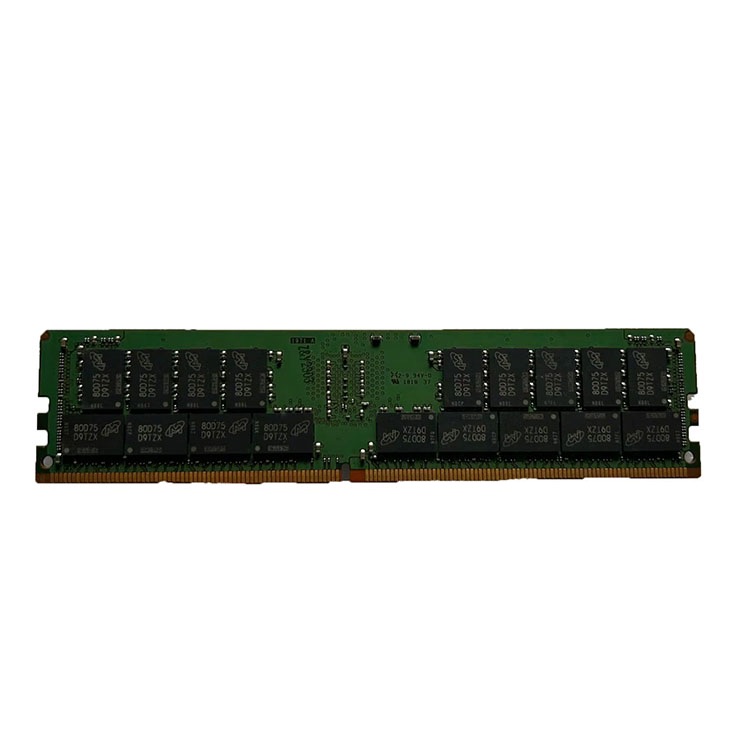
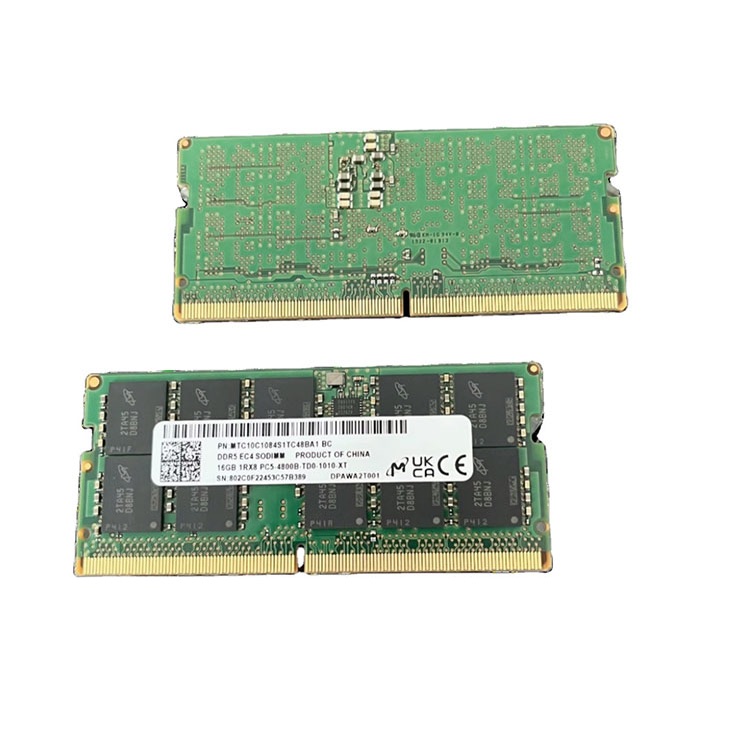
Buying server memory is not about picking the cheapest DIMM with the right capacity sticker. This guide explains how to choose server RAM by platform compatibility, ECC support, module type, density, validation evidence, supply risk, and real workload requirements.
I have seen buyers approve a server memory order because the capacity, speed, and brand looked “close enough,” only to discover during the maintenance window that the host rejected the module, downclocked the full channel, or created a mixed-lot mess nobody wanted to own. Why does this still happen?
Because too many teams treat server RAM like desktop RAM with a business invoice.
It is not.
Server memory is a compatibility product, a reliability product, and a supply-chain product at the same time. The module has to fit the server platform, match the CPU memory controller rules, support the right ECC behavior, respect RDIMM or LRDIMM requirements, survive testing, and remain available when the second purchase order arrives three months later.
That last point matters more in 2026 than it did a few years ago. Reuters reported in January 2026 that AI infrastructure demand had pushed memory chipmakers to divert capacity toward high-bandwidth memory, squeezing supply in other segments and causing prices in some categories to more than double since the previous February.
So here is my opinion: the best server memory buyer is not the one who gets the lowest quote. It is the one who avoids the stupid quote.
Start With Platform Truth, Not Capacity Fantasy
A 64GB RDIMM is not just a 64GB RDIMM.
That sentence annoys people because procurement wants clean columns, but server platforms do not care about spreadsheet elegance; they care about generation, rank, speed, DIMM type, CPU support, BIOS maturity, slot population, voltage, and whether the installed memory mix follows the vendor’s rules. What does the motherboard actually support?
Before buying server memory, I would collect five details:
Buying checkpoint
What to confirm
Why it matters
Server platform
Dell PowerEdge, HPE ProLiant, Lenovo ThinkSystem, Supermicro, Cisco UCS, etc.
Compatibility starts with the host, not the DIMM label
Memory channels and supported speeds depend on the CPU
Module type
ECC UDIMM, RDIMM, LRDIMM, MRDIMM
These are not freely interchangeable
Generation
DDR3, DDR4, DDR5
DDR4 and DDR5 are physically and electrically different
Density target
16GB, 32GB, 64GB, 96GB, 128GB, 256GB
Density affects slot use, future expansion, and cost per usable GB
Validation evidence
Testing, part-number match, warranty path
A cheap module becomes expensive when it fails deployment
This is why I like starting with a supplier that already frames memory as a platform-matching job, not just a parts-trading job. ServerDimm’s main bulk server memory supplier page positions its inventory around DDR3, DDR4, DDR5, ECC, RDIMM, and LRDIMM supply for enterprise and data center buyers, which is the right conversation to have before price negotiation.
And yes, I would rather over-ask here than under-ask.
The buyer who sends “need 64GB server RAM, best price” deserves the chaos that follows. The buyer who sends server model, current memory layout, target capacity, acceptable part numbers, quantity, destination, and deployment timeline usually gets a cleaner answer.
ECC Memory Is Not Optional Theater
ECC memory exists because memory errors are real, measurable, and ugly when ignored.
In Google’s well-known field study, DRAM Errors in the Wild, researchers analyzed a large fleet of commodity servers over 2.5 years and found error rates far higher than old assumptions, including more than 8% of DIMMs affected by errors per year.
Read that again.
More than 8%.
That does not mean every DIMM is a grenade. It means memory validation, ECC support, and post-sale accountability are not decorative details invented by cautious engineers. They are the difference between controlled risk and blind trust.
ECC vs RDIMM vs LRDIMM: Stop Mixing the Terms
ECC is about error detection and correction. RDIMM and LRDIMM are about how the memory module buffers electrical load and supports larger configurations in server-class systems.
Here is the practical version:
Term
Plain-English meaning
Typical buyer mistake
ECC memory
Memory that can detect and correct certain data errors
Assuming all “server RAM” has the same ECC behavior
RDIMM memory
Registered DIMM used in many enterprise servers
Mixing RDIMM with UDIMM or LRDIMM without platform approval
LRDIMM memory
Load-reduced DIMM for higher-capacity configurations
Buying it because it is dense, not because the platform supports it
DDR5 server memory
Newer generation server RAM with higher bandwidth and different platform requirements
Assuming DDR5 is automatically better for every fleet
MRDIMM
High-bandwidth server memory used in newer performance-heavy platforms
Treating it like a drop-in replacement for ordinary RDIMM
The hard rule is simple: do not buy by acronym alone.
A serious supplier should help confirm whether the target server needs ECC RDIMM, LRDIMM, or another validated format. ServerDimm’s server memory quality testing and warranty support page is useful here because it focuses on specification review, system matching, ECC RDIMM validation, pre-shipment screening, and RMA handling instead of pretending “tested” is a magic word.
Testing is product.
DDR4 Server Memory Still Has a Job
DDR4 is not dead.
I know that sounds unfashionable when everyone wants to talk about DDR5 server memory, AI nodes, and 128GB density plans, but most infrastructure does not refresh itself because a newer acronym exists. Many businesses are still running productive DDR4 estates, and forcing those fleets into a platform refresh can be financially lazy.
If the goal is extending an existing cluster, keeping spare pools healthy, or adding capacity to a stable virtualization environment, DDR4 server memory can be the adult answer.
But do not buy it like leftover warehouse stock.
For DDR4, I would care about exact part number, rank, speed, brand consistency, tested-used versus new condition, and whether the memory must match existing modules in Dell, HPE, Lenovo, Cisco, or Supermicro systems. A 32GB DDR4-2666 2Rx4 ECC RDIMM and a 32GB DDR4-3200 2Rx4 ECC RDIMM may both look “close” in a purchasing sheet, but the host may train them differently, downclock them, or reject an unsupported population.
This is where experienced buyers separate themselves from quote collectors.
DDR5 Server Memory: Better, But Not Automatically Right
DDR5 earns attention for good reasons.
Micron says its DDR5 RDIMM technology scales to speeds up to 9200 MT/s and MRDIMM to 8800 MT/s, with up to 2x bandwidth improvement compared with DDR4-3200 SDRAM in its product positioning. Micron’s DDR5 overview also points to 96GB and 128GB high-capacity RDIMMs for AI data center workloads.
That is real progress.
But progress is not permission to skip compatibility work. DDR5 server memory belongs in the right platform, with the right CPU generation, the right BIOS support, the right module class, and the right density plan. It is not a moral upgrade.
For greenfield builds, dense virtualization nodes, analytics systems, and AI-adjacent infrastructure, the DDR5 server memory catalog is the page I would use to start mapping real inventory against density targets such as 64GB, 96GB, and 128GB modules.
For legacy expansion? Maybe not.
The honest answer is boring: buy DDR5 when the platform and workload justify it. Buy DDR4 when the estate, economics, and compatibility profile make DDR4 the cleaner move.
The Market Is Telling Buyers to Get Less Naive
Memory used to feel like a quiet commodity.
Not anymore.
AI demand has turned ordinary procurement into a harder supply problem. In April 2026, Reuters reported that SK Hynix posted record quarterly profit, said HBM client requests for the next three years already exceeded production capacity, and saw certain DRAM chip contract prices jump nearly 83% quarter-over-quarter while some NAND prices rose around 160%.
That is not background noise. That affects your server memory buying plan.
And power is now part of the same conversation. The U.S. Department of Energy said data centers consumed about 4.4% of total U.S. electricity in 2023, with usage rising from 58 TWh in 2014 to 176 TWh in 2023 and projected to reach 325 to 580 TWh by 2028 in a December 2024 DOE-backed report. The DOE release is not about memory specifically, but it explains why dense, efficient server planning has moved out of the server room and into budget meetings.
Power is money.
If higher-density server memory lets you reduce node count, avoid extra chassis, delay rack expansion, or hold consolidation ratios without choking VM performance, the price-per-DIMM comparison is too narrow. The better question is total cost per stable workload.
How to Choose Server Memory Without Getting Burned
Ask rude questions.
I do not mean performative questions that make a meeting longer. I mean the questions that expose whether the seller actually understands server memory compatibility, supply discipline, and post-sale responsibility.
Question 1: What exact part number am I buying?
“Equivalent” is not enough.
You want manufacturer part number, capacity, rank, speed, module type, condition, brand, and whether substitutions are allowed. If the quote says “Samsung/Micron/Hynix equivalent,” slow down. That language can be fine for flexible buyers, but it can be dangerous for controlled deployments.
Question 2: Is this new, tested used, pulled, mixed-lot, or single-lot inventory?
Condition matters.
I do not hate tested used server memory. I hate vague used server memory. There is a big difference between professionally screened, part-number-matched memory and a mixed pile of pulled modules with nice photos.
Question 3: Has this configuration been checked against my platform?
Do not ask whether the module “should work.” Ask whether the configuration has been reviewed against the exact server platform, CPU generation, module type, rank, and population rules.
Question 4: What happens if part of the lot fails?
Warranty language reveals the seller.
A supplier that cannot explain DOA handling, RMA timing, replacement policy, freight responsibility, and documentation before the order is placed is not ready for enterprise buying. This is where ServerDimm’s guide on choosing a long-term server memory supply partner fits naturally into the buying process.
Question 5: Can I pilot before bulk rollout?
A pilot batch is cheaper than a failed maintenance window.
For large orders, I would test a small quantity in the real target environment before approving the full deployment. That means real hosts, real BIOS versions, real workload assumptions, and real monitoring. Not vibes.
Server Memory for Virtualization: The Worst Place to Guess
I have watched teams calculate host memory needs by adding up configured vRAM, then I have watched different teams ignore actual workload peaks and rely on overcommit like it was a business strategy. Both can be wrong.
For virtualization, server RAM planning should include:
Requirement
What to measure
Why it matters
Host reserve
Hypervisor and management OS memory
The host is not weightless
VM working set
Real active usage, not vanity allocation
Configured vRAM can exaggerate demand
Failover headroom
N+1 or maintenance restart capacity
Surviving a host loss requires spare memory
Reclamation behavior
Ballooning, swapping, compression, Smart Paging
These should be safety nets, not normal operations
The controversial take? Many teams are not underbuying memory. They are mismeasuring demand.
They buy capacity to fix a sizing model they never trusted in the first place.
The Server Memory Buying Checklist I Would Actually Use
Use this before sending a quote request.
Step
Buyer action
Red flag
1
Identify server model and CPU generation
“Any server RAM works”
2
Confirm DDR3, DDR4, or DDR5 platform support
Seller pushes newer memory without checking platform
3
Confirm ECC, RDIMM, LRDIMM, or MRDIMM requirement
Quote uses generic “server memory” wording
4
Match current configuration and target capacity
No rank, speed, or part-number detail
5
Decide new vs tested used inventory
Seller avoids condition language
6
Request testing and warranty workflow
“All tested” with no explanation
7
Pilot before bulk rollout
Seller resists sample validation
8
Lock quote validity and replacement rules
No lead-time or RMA clarity
This is not complicated. It is disciplined.
The funny thing is that disciplined buying often looks slower at the start and faster by the end. The lazy buyer gets a quote in ten minutes and spends two weeks cleaning up the consequences. The serious buyer asks better questions and avoids the cleanup.
FAQs
What is server memory?
Server memory is enterprise-grade RAM designed for servers, data centers, and workstation-class platforms where uptime, compatibility, capacity, and error handling matter more than consumer overclocking features or decorative speed claims. It commonly includes ECC memory, RDIMM memory, LRDIMM memory, DDR4 server RAM, and DDR5 server memory validated for specific platforms.
In plain English, server memory is not chosen by capacity alone. It must match the server model, CPU generation, memory channel rules, DIMM type, rank, supported speed, and workload requirement.
How do I choose the right server memory?
Choosing the right server memory means matching the module to the exact server platform, CPU generation, supported memory generation, ECC requirement, DIMM type, rank, speed, density target, and workload profile before comparing price. The best buying process starts with compatibility evidence and ends with testing, warranty terms, and supply continuity.
I would never start with “What is the cheapest 64GB stick?” I would start with the host model and work outward from there.
What is ECC memory?
ECC memory is error-correcting memory that can detect and correct certain memory errors before they create data corruption, crashes, or unstable server behavior. It is widely used in enterprise servers because production workloads need stronger data integrity than ordinary desktop memory typically provides.
ECC is not a luxury feature in serious infrastructure. It is one of the basic controls that keeps memory errors from becoming business problems.
What is RDIMM memory?
RDIMM memory is registered server memory that buffers command, address, and control signals to reduce electrical load on the memory controller and support larger, more stable memory configurations. It is common in enterprise servers where capacity, scalability, and platform reliability matter more than consumer-style latency tuning.
The key point is that RDIMM, LRDIMM, and UDIMM are not casual substitutes. The platform decides what is allowed.
Is DDR5 server memory better than DDR4 server memory?
DDR5 server memory is newer and can offer higher bandwidth, higher density options, and better fit for current-generation platforms, but it is not automatically the right choice for every server fleet. The better option depends on server compatibility, workload demand, refresh timing, budget, and whether the buyer is expanding an existing estate or building new infrastructure.
For new dense builds, DDR5 often wins. For stable legacy environments, DDR4 can still be the rational procurement decision.
What is the best server memory for virtualization?
The best server memory for virtualization is compatible ECC server RAM sized around real VM working sets, host reserve, failover headroom, hypervisor overhead, and growth plans rather than only the total configured vRAM. In practice, many virtualization hosts benefit from validated 64GB, 96GB, or 128GB modules when density and slot efficiency matter.
My advice is to size from observed usage first, then choose density. Guessing from allocated vRAM is how teams overbuy, underbuy, or both.
Can I mix server memory brands or speeds?
Mixing server memory brands or speeds may work only when the server platform supports the configuration and the modules remain compatible by generation, type, rank, voltage, and population rules. In many enterprise environments, unsupported mixing can cause boot failure, downclocking, instability, or harder troubleshooting during deployment.
I avoid mixing unless there is a documented reason and a tested path. “It fit in the slot” is not validation.
Final Thoughts: Buy the Evidence, Not the Sticker
Do this next.
Before requesting a quote, build a one-page server memory brief with your server model, CPU generation, current memory layout, target capacity, required module type, acceptable brands, preferred part numbers, new or tested-used requirement, quantity, destination, rollout date, and warranty expectations.
ServerDimm supplies new and used branded server memory for distributors, OEM buyers, resellers, and data center teams. We support DDR4 and DDR5 sourcing with tested inventory, compatibility checks, and responsive quote service.