Common Memory Upgrade Mistakes in High-Density Virtualization Projects
A virtualization memory upgrade is not just “add more RAM.” In dense VMware, Hyper-V, VDI, database, and private-cloud clusters, the real risks are bad VM memory capacity planning, unsafe overcommit assumptions, mixed DIMM lots, unbalanced channels, and skipping failover math.
The Dirty Secret: Most Virtualization Memory Plans Are Fiction
Start with math.
A virtualization memory upgrade should begin with measured active memory, host overhead, NUMA behavior, restart pressure, HA failover reserve, and DIMM population rules; instead, I still see teams multiply “VM count × assigned RAM,” add a nervous 20%, and call it engineering.
Why do smart infrastructure teams keep buying memory like they are filling buckets?
The answer is ugly: assigned memory feels objective. It is not. A VM with 64GB assigned may actively need 18GB during normal business hours, 42GB during month-end reporting, and 58GB during patch reboot storms. A host running 30 VMs does not care about your spreadsheet confidence. It cares about working set, compression, ballooning, host swapping, and whether a failed node dumps pressure onto the survivors at 2:17 a.m.
That is where high-density virtualization memory projects go wrong. Not because RAM is mysterious. Because people pretend it is simple.
The Uptime Institute Global Data Center Survey 2024 reported that 53% of operators had an outage in the prior three years, and 54% of respondents with a recent significant outage said it cost more than $100,000; one in five reported costs above $1 million. That is the financial context for “just add more memory.” Bad planning is not a small technical nuisance when the cluster carries ERP, SQL Server, Oracle, VDI, Kubernetes nodes, backup proxies, and domain services.
So here is my opinion: the memory upgrade is usually not the project. The project is proving that the next failure event will not expose the lie in your capacity model.
If you need a baseline before buying modules, ServerDimm’s guide on how much memory a virtualization host really needs is the right internal companion because it frames the question around Hyper-V Startup RAM, VMware working set behavior, and overcommit limits rather than raw assigned capacity.
Mistake 1: Treating Assigned VM RAM as Real Demand
Bad math spreads.
When I review a dense host plan, the first red flag is a capacity table where every VM is treated as if it permanently consumes its configured memory, because that method overstates some workloads, understates burst risk, hides restart pressure, and makes finance think the team has produced a serious forecast when it has really produced a comforting fiction.
What happens when every VM is “right-sized” only on paper?
VM memory capacity planning must separate these numbers:
Planning Metric
What It Actually Means
Why It Matters in a Virtualization Memory Upgrade
Assigned memory
Maximum guest RAM configured for a VM
Useful for limits, not enough for buying decisions
Active memory
Memory the workload is actually touching
Best starting point for real density planning
Consumed memory
Host memory currently held by the VM
Can include guest cache and idle allocation
Startup memory
RAM needed for boot or service initialization
Especially important for Hyper-V Dynamic Memory and VDI pools
Failover reserve
RAM needed after losing a host
The number most teams quietly underfund
Hypervisor overhead
Memory used by ESXi, Hyper-V, management agents, drivers, and VM metadata
Small per VM, painful at scale
Swap or paging pressure
Disk-backed memory behavior under shortage
Usually the first sign the cluster is lying to you
VMware’s own vSphere 8.0 performance guidance says ESXi can use page sharing, ballooning, memory compression, swap to host cache, and regular swapping, but warns against overcommitting memory to the point where regular host-level swapping moves active memory pages. That sentence should be printed on every virtualization memory upgrade approval
I know some admins love overcommit ratios. Fine. But “4:1 worked last year” is not a strategy if the workload mix changed from file servers and domain controllers to SQL Server, Redis, Elasticsearch, Citrix, and Windows 11 VDI. A ratio without workload identity is numerology.
Mistake 2: Believing Hypervisor Tricks Can Replace Physical RAM
Overcommit feels free.
But VMware memory management and Hyper-V memory optimization are not magic; they are pressure-management systems that behave well when the workload is measured, the guest tools are healthy, reservations are sane, and administrators understand the difference between reclaiming idle memory and forcing active memory through slow storage.
Would you design a production SAN assuming it can always run in emergency mode?
Microsoft’s current Hyper-V Dynamic Memory documentation is direct: Startup RAM, Minimum RAM, Maximum RAM, memory buffer, and memory weight all matter, and Smart Paging exists for specific restart conditions when physical memory is unavailable. Microsoft also notes that Smart Paging can degrade VM performance because disk access is much slower than memory acc
That is the trap. Smart Paging is a bridge. It is not a highway.
In Hyper-V, I want the team to prove three things before I approve density: the VM can boot at Startup RAM, settle safely near Minimum RAM, and still survive a host restart or failover event without turning the storage layer into fake RAM. In VMware, I want to see active memory, consumed memory, ballooning, compression, host swap, guest swap, reservations, and HA admission behavior across business peaks.
The uncomfortable question is not “Can the host run today?” It is this: can the cluster absorb a node loss while backups, patching, login storms, and reporting jobs collide?
Mistake 3: Buying Capacity Before Checking DIMM Type, Rank, and Slot Population
Slots matter.
A server RAM upgrade can fail even when the total capacity looks perfect, because Dell PowerEdge, HPE ProLiant, Lenovo ThinkSystem, Cisco UCS, and Supermicro platforms all enforce electrical, channel, CPU-socket, speed, rank, and DIMM-type rules that do not care how attractive the quote looked.
Why do buyers still ask for “more 64GB sticks” before they know the population map?
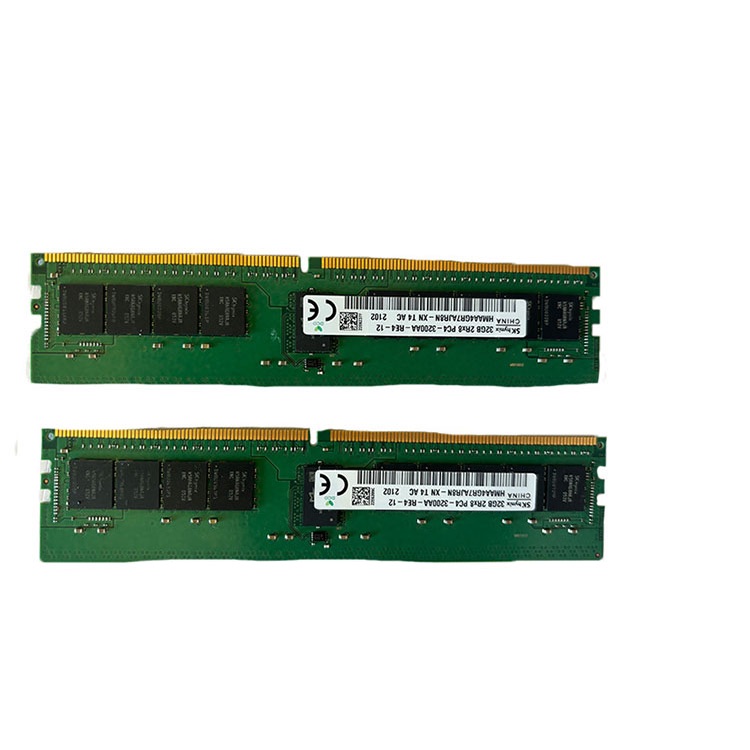
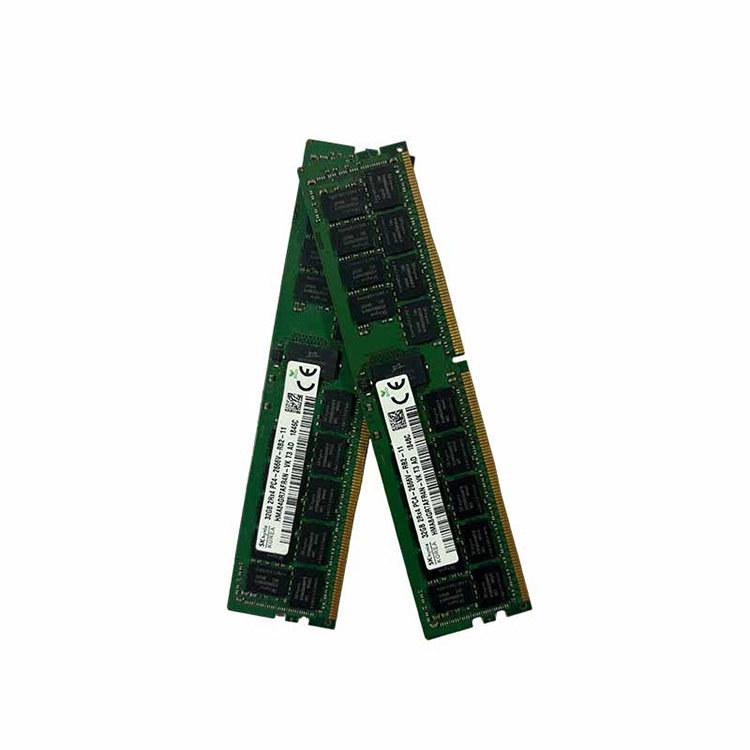
I’ll be blunt: because procurement often enters the project too late and with too little technical context. By the time the supplier gets the request, the buyer wants “256GB more per host,” not “eight 32GB DDR4-3200 ECC RDIMM 2Rx4 modules matching this server’s supported population order across two CPU sockets.”
That difference is everything.
ServerDimm’s server memory population order guide is useful here because population order is not trivia. It affects channel balance, interleaving, speed training, CPU symmetry, and whether the host runs like a dense virtualization node or limps along in an unbalanced configuration.
For older hosts such as Dell PowerEdge R740, HPE ProLiant DL380 Gen10, and Lenovo ThinkSystem SR650, a standardized DDR4 server memory sourcing path usually makes more sense than random mixed lots. For newer density projects around 4th Gen Intel Xeon Scalable, AMD EPYC 9004, Dell PowerEdge R760, HPE Gen11, and Lenovo SR650 V3, DDR5 server memory options bring 32GB, 64GB, 96GB, and 128GB module conversations into play.
But capacity is not compatibility.
A 64GB DDR4 LRDIMM is not a casual substitute for a 64GB DDR4 RDIMM. A 2Rx4 module and a 4Rx4 module may land differently in platform support. A 3200 MT/s module may downclock depending on CPU, channel population, and mixed speed rules. And yes, ECC behavior matters.
Mistake 4: Ignoring Failure Scenarios Until the Maintenance Window
Hope is expensive.
The cleanest virtualization memory upgrade plan can still fail if it assumes all hosts stay online, all workloads remain average, all reboots happen politely, and every VM behaves like the monitoring graph from last Tuesday.
Does that sound like any real data center you know?
The 2023 Google Cloud us-central1 incident report is a useful reminder that memory pressure is not an academic topic. Google reported that a management-plane rollout triggered an unexpected memory increase for virtual network router controllers, which then ran out of memory and restarted repeatedly, affecting multiple products including Compute Engine, GKE, Cloud SQL, Dataflow, Dataproc, and VPC for ho
Different environment. Same lesson.
Memory pressure spreads through dependencies. A host under memory stress may slow VMs. Slow VMs may stretch transaction times. Longer transactions may increase database memory demand. Backup jobs may run into business hours. User sessions may reconnect. Monitoring lights up. Then someone says, “But the cluster had enough RAM.”
No, it had enough RAM for the fantasy state.
NIST’s SP 800-125A describes the hypervisor as the software layer that virtualizes physical resources including CPU/GPU, memory, network, and storage while mediating access and maintaining isolation among VMs. That is a serious control point, not just a convenience layer. When memory planning fails, the blast radius is not limited to one oversized
For dense clusters, I want failover math written down:
Scenario
Lazy Planning Assumption
Better Planning Question
N+1 host failure
Remaining hosts absorb the load
Can they absorb peak active memory plus restart pressure without host swapping?
Patch reboot wave
VMs restart gradually
What happens if 40% of VDI or app VMs reboot inside 20 minutes?
Backup window overlap
Backup proxies are predictable
What is the memory footprint during snapshot, dedupe, compression, and transport?
Database reporting spike
Average RAM is enough
What is the 95th percentile memory demand during month-end close?
Mixed DIMM expansion
More GB equals more headroom
Does the new layout preserve channel balance and supported speed?
HA admission control
Cluster policy is good enough
Has anyone tested it after the new memory profile?
Mistake 5: Treating Used, Pulled, or Mixed-Lot Memory as Purely a Price Decision
Cheap can work.
But in high-density virtualization projects, I care less about whether memory is new or tested used and more about whether the lot is traceable, the labels are clear, the part numbers match the approved spec, the modules pass screening, and the supplier can replace failures without turning the rollout into a blame exercise.
Is the cheapest DIMM still cheap after three hosts fail memory training during the only approved maintenance window?
I have no moral objection to tested pulled memory. In many legacy DDR4 expansion projects, it is the practical answer. The hard truth is that “used” is not the risk category. Unverified is the risk category.
Before buying for a virtualization memory upgrade, I would require:
Server model and CPU generation
Current DIMM map by slot
Target capacity per host and cluster
RDIMM or LRDIMM confirmation
DDR4 or DDR5 generation
Rank and organization, such as 2Rx4 or 2Rx8
Speed target, such as DDR4-2933, DDR4-3200, DDR5-4800, or DDR5-5600
ECC requirement
Matched lot preference
Warranty and RMA process
Pilot-host testing before fleet rollout
This is where ServerDimm’s quality and warranty workflow for ECC RDIMM projects fits naturally into the buying process. Specification review, compatibility validation, pre-shipment testing, and RMA handling are not “nice extras” when a cluster hosts production VMs.
Mistake 6: Upgrading Memory Without Changing Monitoring
Watch the pain.
If you add RAM and keep the same dashboards, alerts, and capacity thresholds, you may have increased the cluster’s ceiling without improving the team’s ability to see pressure before users feel it.
What is the point of a larger memory pool if nobody notices it being abused?
After a virtualization memory upgrade, I would reset monitoring around these signals:
Whether Dynamic Memory is helping or hiding restart risk
Guest OS
Page file usage, major faults, working set, cache pressure
Whether the VM itself is undersized
Cluster HA
Admission control, failover reserve, restart time, VM priority
Whether one host failure breaks the plan
Hardware
ECC events, corrected errors, uncorrected errors, memory training logs
Whether modules and slots are behaving
Applications
SQL buffer pool, JVM heap, Redis maxmemory, Elasticsearch heap, Citrix session density
Whether workload memory was sized honestly
The Google BigQuery incident from May 2022 is another useful warning. Google reported that a rollout introduced a memory leak that gradually consumed memory on BigQuery compute nodes, causing query latency and failures across multiple regions; remediation included better memory error detector coverage and monitoring for memory pressure scenar
That is the professional lesson: memory problems often arrive slowly, then very suddenly.
The Upgrade Checklist I Would Actually Sign
Here is the short version I would put in front of infrastructure, procurement, and finance before approving a high-density virtualization memory order.
Checkpoint
Pass Standard
Hard Failure Sign
Workload measurement
30 to 90 days of active memory and peak data
Only assigned RAM is used for sizing
Failover model
N+1 or N+2 modeled with restart pressure
“HA is enabled” is treated as proof
Hypervisor behavior
VMware or Hyper-V memory mechanisms understood and monitored
Ballooning, compression, or Smart Paging ignored
DIMM compatibility
Server model, CPU, generation, RDIMM/LRDIMM, rank, and population verified
Quote only says “64GB server RAM”
Pilot rollout
One host or small cluster tested before fleet deployment
All DIMMs installed in one maintenance wave
Monitoring update
Alerts revised after capacity change
Same thresholds as before the upgrade
Supplier validation
Part numbers, labels, testing, warranty, and replacement path confirmed
Mixed lots arrive without documentation
For sourcing, the safest internal path is to begin with bulk server RAM supply for enterprise and data center upgrades and send the supplier the actual platform map instead of a vague capacity target. A good supplier should ask annoying questions. The wrong supplier ships quickly and lets your team discover the mistake under pressure.
FAQs
What is a virtualization memory upgrade?
A virtualization memory upgrade is the planned expansion or replacement of server RAM in virtualization hosts, sized around active workload demand, hypervisor overhead, HA failover reserve, DIMM compatibility, and supported slot population instead of the total memory assigned to every virtual machine. In practice, it should improve consolidation, restart safety, application latency, and failover behavior without pushing the host into regular swapping or unsupported DIMM layouts.
What is VM memory capacity planning?
VM memory capacity planning is the process of calculating how much physical RAM a host or cluster needs by measuring guest active memory, workload peaks, startup behavior, memory overhead, cache patterns, NUMA boundaries, and the reserve required to survive host failure without swapping. The strongest plans use 30 to 90 days of real performance data, not a one-day snapshot or a VM inventory export.
What is virtualization memory overcommit?
Virtualization memory overcommit is the practice of assigning more guest memory to VMs than the host physically has, relying on memory sharing, ballooning, compression, paging, or swap behavior to keep workloads running when not all assigned memory is actively used. It can be safe in measured environments, but it becomes reckless when active memory, failover reserve, and storage-backed swap behavior are ignored.
What are the most common server RAM upgrade mistakes?
Server RAM upgrade mistakes are preventable planning errors that happen when teams buy capacity before checking platform support, RDIMM versus LRDIMM rules, ECC requirements, rank structure, CPU-socket symmetry, BIOS limits, slot population order, and validation testing for the actual virtualization workload. The worst mistake is assuming that two modules with the same capacity are automatically interchangeable in production servers.
Is Hyper-V Dynamic Memory safe for production?
Hyper-V Dynamic Memory is Microsoft’s VM memory management feature that changes assigned memory at runtime by using Startup RAM, Minimum RAM, Maximum RAM, buffer, and memory weight settings so idle or low-load virtual machines can consume less host memory after boot in supported Windows Server deployments. It is production-safe when tuned and monitored, but Smart Paging should be treated as temporary restart support, not normal operating capacity.
How does VMware memory management affect upgrade planning?
VMware memory management is the ESXi resource-control system that uses active and consumed memory metrics, reservations, shares, limits, ballooning, compression, swap-to-host-cache, and host swapping behavior to balance VM performance against physical host memory pressure in dense clusters running production workloads. A VMware memory upgrade should be planned around active working sets and HA behavior, not only configured VM memory.
Your Next Step Before Buying DIMMs
Do not approve the next virtualization memory upgrade from a capacity number alone.
Pull the host inventory, export 30 to 90 days of memory metrics, identify peak workload windows, model N+1 failure, confirm VMware or Hyper-V memory behavior, map every DIMM slot, and then request a quote with server model, CPU generation, current memory layout, target capacity, RDIMM/LRDIMM type, DDR4 or DDR5 generation, rank, speed, ECC requirement, quantity, and rollout schedule.
Then talk to a supplier that can validate the order before it ships.
For dense VMware, Hyper-V, VDI, database, and private-cloud environments, start with ServerDimm’s enterprise server memory sourcing support and make the quote prove compatibility before your maintenance window proves the oppo
ServerDimm supplies new and used branded server memory for distributors, OEM buyers, resellers, and data center teams. We support DDR4 and DDR5 sourcing with tested inventory, compatibility checks, and responsive quote service.