Most server memory orders do not fail because RAM is mysterious. They fail because buyers trust capacity, speed stickers, and vague “compatible with” claims instead of checking the platform, module class, rank, density, and population rules that OEMs and data center operators treat as non-negotiable.
The boring mistake that gets very expensive very fast
Memory looks simple.
I think that illusion has wrecked more maintenance windows than most buyers will ever admit, because teams still sign off on server memory by reading only capacity and headline speed while ignoring the platform, the DIMM class, the rank structure, and the ugly fact that the server—not the reseller’s title—decides what will actually train and boot. Why do smart procurement teams keep acting like DIMMs are printer cartridges?
The money is not small. According to Uptime Institute’s 2024 Global Data Center Survey, 54% of operators said their most recent significant outage cost more than $100,000, and 20% put the damage above $1 million. And the market got meaner, not kinder: Reuters reported on January 6, 2026 that prices for one type of DDR5 DRAM jumped 314% year over year in Q4 2025, while Reuters reported on February 2, 2026 that conventional DRAM contract prices were expected to rise another 90% to 95% quarter over quarter in Q1 2026. So no, a wrong memory order is not a harmless spreadsheet error anymore.
The reliability data is even less polite. Google’s “DRAM Errors in the Wild” found error rates orders of magnitude higher than older assumptions, with more than 8% of DIMMs affected by errors per year. Then a 2022 Chinese University of Hong Kong and Alibaba production-data-center study examined 250,000 servers and more than 3 million DIMMs, recorded 75.1 million correctable errors, and analyzed 2,137 server failures caused by DRAM errors; more than 40% of those failures showed correctable errors within one hour before failure. I don’t call that edge-case noise. I call it a warning label.
The 10 server memory specs that actually decide whether the order works
This is the checklist I trust. Not the reseller filter. Not the distributor’s “equivalent part.” The checklist.
Spec to confirm
What you need to verify
What goes wrong when buyers fake it
1. Platform and CPU family
Exact server model, CPU generation, BIOS-era support
You buy memory the board will never train
2. DDR generation
DDR4 vs DDR5
The module is physically and electrically wrong
3. ECC and module class
ECC UDIMM, RDIMM, LRDIMM, 3DS RDIMM, MRDIMM where applicable
POST failure or unsupported topology
4. Exact part number or approved FRU
Full manufacturer MPN, OEM FRU, or validated replacement
Receiving chaos and incompatible spares
5. Capacity per DIMM
16GB, 32GB, 64GB, 96GB, 128GB and slot-count math
The target memory total cannot be reached cleanly
6. Rank and organization
1Rx4, 2Rx4, 2Rx8, 4DRx4, 3DS
Higher-density modules behave differently than buyers assume
7. Rated speed and trained speed
2666, 3200, 4800, 5600 MT/s plus 1DPC vs 2DPC reality
Expensive modules downclock in production
8. Channel and socket balance
Symmetry across CPUs and memory channels
Bandwidth gets wrecked by uneven population
9. DIMM-per-channel rules
1DPC, 2DPC, board-specific slot maps
Performance drops or the config becomes unsupported
You inherit supply-chain risk disguised as a bargain
The hard technical rules behind that table are not controversial. Dell says RDIMMs and LRDIMMs cannot be mixed and that memory configuration between two CPUs must be identical in size and position; Micron says DDR5 server memory and DDR4 motherboards are incompatible; Intel documents up to DDR5 ECC RDIMM 4800 MT/s and up to 4 TB for Xeon W-3500/W-2500 platforms; and Lenovo shows that unbalanced configurations can slash bandwidth to as low as 13% of a balanced 8-DIMM-per-socket configuration.
1) Platform and CPU family
Start there first.
I do not care what the online listing claims until I know the exact chassis and processor family, because a Dell PowerEdge R750, an HPE ProLiant DL380 Gen10, and a Lenovo ThinkSystem SR650 V2 do not owe you the same DIMM behavior, the same channel count, or the same maximum trained speed. If you skip the platform and CPU check, what exactly are you even validating?
2) DDR generation
This one should be obvious, but the market keeps proving otherwise.
Micron’s DDR5 guidance says it plainly: DDR5 server memory and DDR4 motherboards are incompatible. And yet buyers still get seduced by headline pricing on 64GB and 96GB parts without locking down whether the box is a DDR4 estate extension or a DDR5 rollout. That is not aggressive buying. That is lazy buying.
3) ECC and module class
ECC is not one thing.
There is a world of difference between ECC UDIMM, RDIMM, LRDIMM, and 3DS RDIMM, because the buffering and loading behavior are different, and OEM rules treat them like different citizens, not friendly cousins; Dell’s supported memory guide is explicit that RDIMMs and LRDIMMs cannot be mixed in one upgrade path. Why do buyers keep pretending matching capacity rescues the wrong module class?
I have watched teams approve “32GB ECC RDIMM 3200” as if that description were a part number, then act surprised when receiving gets mixed vendors, mixed revisions, mixed SPD behavior, and no clean spare-pool logic; in real environments, the full MPN or OEM FRU matters because it controls replacement accuracy, lot matching, and what your technician is actually holding at 02:00 during a maintenance window. Why buy memory by adjective when the module already has a name?
5) Capacity per DIMM
More capacity is not always smarter.
The decision between 32GB, 64GB, 96GB, and 128GB modules changes slot pressure, channel balance, future expandability, and total cost per usable GB, which is why buyers running virtualization or consolidation projects should size the host first and the DIMM second; this is exactly where how much memory a virtualization host really needs is more useful than another reseller spec sheet.
6) Rank and organization
Here is the part buyers hate because it looks annoying.
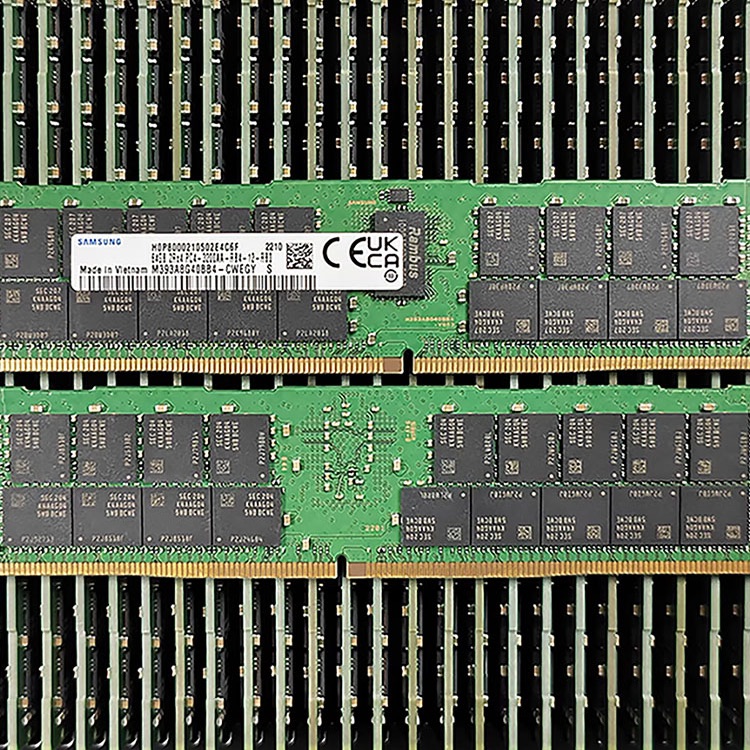
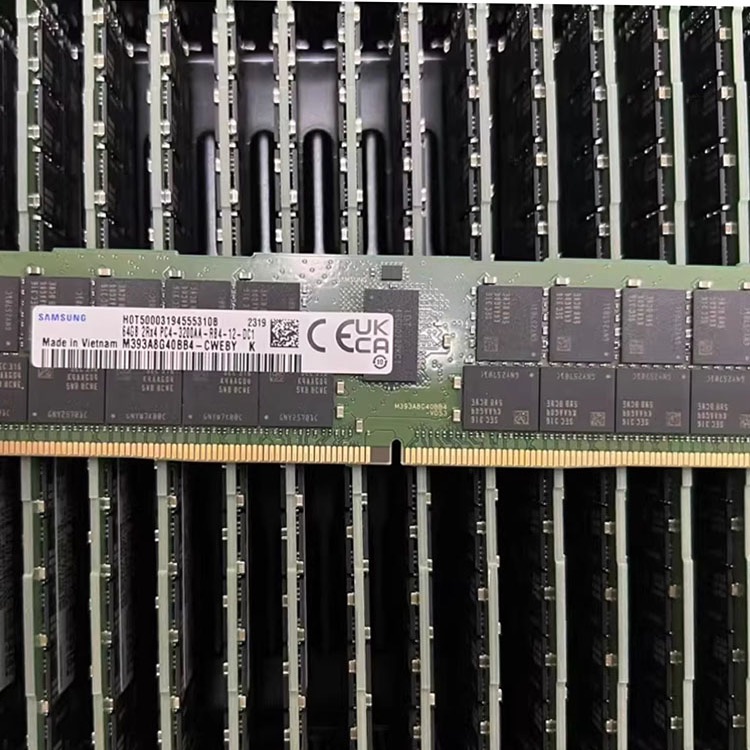
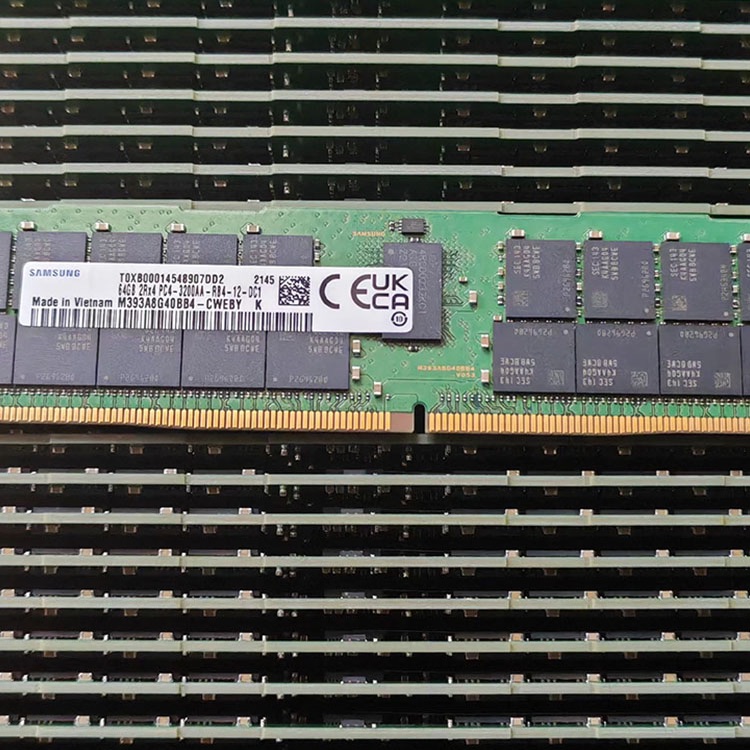
Rank notation such as 1Rx4, 2Rx4, 2Rx8, and 4DRx4 is not decorative label clutter; it changes density behavior, training compatibility, and the practical ceiling of a given platform, which is why 64GB is not a single species and two 64GB modules can behave very differently in the same server. Want a clean deployment? Read the installed DIMM, not just the marketplace headline.
7) Rated speed versus trained speed
The sticker lies first.
Intel’s Xeon W-3500/W-2500 product brief documents up to DDR5 ECC RDIMM 4800 MT/s, but platform reality still depends on topology, channel population, and board support, and OEM documentation keeps repeating the same hard truth: what you buy is not always what the server trains at after you populate more slots. So when someone boasts about 5600 MT/s without disclosing 1DPC versus 2DPC conditions, I assume I’m hearing marketing, not engineering.
Lenovo’s balanced-memory paper for 4th and 5th Gen 2-socket Intel Xeon systems recommends balanced population with 4, 8, or 16 DIMMs per socket and says peak memory performance is achieved with 8 DIMMs per processor; it also shows unbalanced memory can drag bandwidth down to 13% of a balanced setup. That is not a rounding error. That is self-inflicted damage.
9) DIMMs per channel and slot map
One DIMM per channel and two DIMMs per channel are not the same deal.
The server’s slot map, channel count, and DPC rules shape both the speed you actually get and whether the final arrangement is even supported, which is why buyers who fill “whatever slots are open” usually discover the penalty later as reduced bandwidth, reduced trained speed, or weird support disputes. Why spend enterprise money and populate memory like a junk drawer?
10) Inventory condition, validation, and warranty terms
Here is my least popular opinion: “new” is not automatically safer than “tested used,” and “cheap” is usually more expensive than it looks.
What serious buyers check before they approve the PO
Paper matters.
My rule is simple: if the quote pack does not list the exact server model, CPU family, DDR generation, module class, capacity per DIMM, rank notation, rated speed, trained-speed assumptions, DPC plan, and exact part number or FRU, then the supplier has not finished the work yet. Why are so many teams still approving memory orders that would fail a five-minute technical review?
And yes, I’m opinionated about this. I have zero respect for “compatible with” language unless it comes with evidence, because the same industry that still shrugs at vague listings is also living through violent memory pricing, tighter supply, and real data-center reliability pressure. My blunt view: if a seller cannot explain 2Rx4 versus 2Rx8, RDIMM versus LRDIMM, or 1DPC versus 2DPC without disappearing into jargon fog, that seller has not earned your purchase order.
FAQs
What is server memory compatibility?
Server memory compatibility is the verified fit between a DIMM and a specific server platform, covering DDR generation, ECC type, module class, rank layout, speed support, density, BIOS-era rules, and channel population requirements for that exact motherboard and CPU combination, rather than a vague claim that the module is merely “similar” or “close enough.” I trust that definition because it matches how OEMs document memory support, not how brokers sell it.
Can I mix RDIMM and LRDIMM if the capacities match?
No, you generally cannot mix RDIMM and LRDIMM in the same server, even when the capacities match, because they are different buffered memory technologies with different electrical behavior and support rules, and major OEM guidance treats mixed configurations as unsupported or likely to fail during training and boot. Capacity does not rescue the wrong module class.
Why does server memory downclock after an upgrade?
Server memory downclocks after an upgrade when the final population changes the platform’s supported operating conditions, including DIMMs per channel, rank loading, socket symmetry, and channel balance, so the server trains to the speed the CPU and board can support for that exact installed topology instead of the module’s best-case label. That is normal behavior, not vendor sabotage.
Is tested used server memory acceptable for enterprise systems?
Tested used server memory is previously deployed enterprise memory that has been screened, matched, and validated for reuse in maintenance, spares, or expansion scenarios where exact fit, availability, and budget discipline often matter more than factory-fresh packaging, provided the supplier documents condition honestly and supports the lot with real warranty handling. I reject vague inventory, not honest reuse.
Stop approving server memory on faith
Three steps.
Run the platform and installed-DIMM audit first, force the supplier to quote the exact part number and module class second, and demand a validation path before the shipment leaves the building third. That is the difference between a controlled memory order and a maintenance-window gamble. If you want a clean internal path on ServerDimm, start with the server memory compatibility audit, move to the quality testing and warranty support page, and use the pilot testing guide before you sign anything for a larger rollout.
ServerDimm supplies new and used branded server memory for distributors, OEM buyers, resellers, and data center teams. We support DDR4 and DDR5 sourcing with tested inventory, compatibility checks, and responsive quote service.