How to Assess Risk in a Server Memory Project Purchase
A blunt procurement guide for IT buyers, resellers, and data center teams who need to buy server memory without getting trapped by fake compatibility claims, mixed lots, weak testing, or unstable supply.
I have watched server memory projects fail not because the buyer was careless, but because the quote looked “technically close,” the supplier sounded confident, the delivery date was attractive, and nobody forced the uncomfortable questions before the purchase order moved. Who wants to admit that a six-figure infrastructure job can be damaged by one vague DIMM line?
That is the hard truth: server memory risk assessment is not a paperwork ritual. It is loss prevention.
When we talk about a server memory purchase, we are not buying plastic, silicon, and a printed label. We are buying uptime, density, compatibility, traceability, replacement behavior, and the right to sleep during the maintenance window. That is why I treat every enterprise server memory order as a risk file first and a price file second.
Table of Contents
The Real Risk Is Not Price. It Is Ambiguity.
Most bad server RAM procurement starts with a pretty spreadsheet.
Capacity? 64GB. Speed? 3200 MT/s or 5600 MT/s. Type? “ECC server RAM.” Supplier note? “Compatible.”
That is not enough.
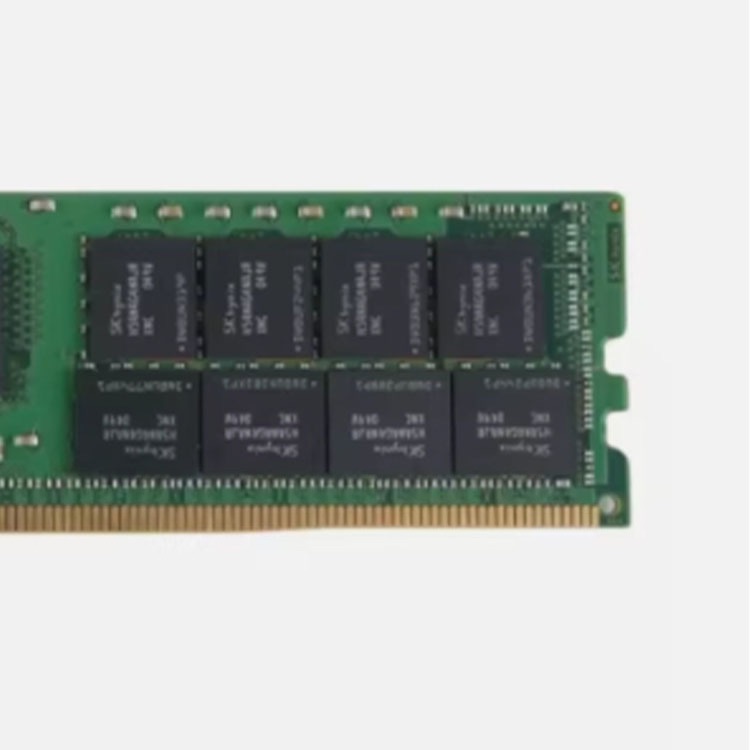
A serious buyer needs to know whether the module is DDR4 or DDR5, RDIMM or LRDIMM, ECC registered or another class, 1Rx4 or 2Rx4, single-lot or mixed-lot, new or tested used, and whether the exact manufacturer part number can be repeated later. ServerDIMM’s own server memory buying guide says the quiet part well: buying server memory is not about picking the cheapest DIMM with the right capacity sticker.
I agree. Fully.
And here is where the market makes everything nastier. Reuters reported in 2026 that U.S. industry groups warned memory-chip demand from AI data centers could cause sustained price hikes and disrupt supply chains, while another Reuters report said TrendForce expected conventional DRAM contract prices to jump 90% to 95% in Q1 2026 from the prior quarter. When pricing gets violent, weak suppliers get creative. Gray inventory moves faster. Buyers lower standards. Mistakes hide inside urgency.
Risk loves urgency.
Build the Server Memory Risk File Before You Ask for a Discount
The first document I want is not the invoice. It is the risk file.
A proper server memory risk file should contain the server model, CPU generation, motherboard or platform family, installed DIMM photos, current memory population, target capacity, module type, accepted manufacturer part numbers, acceptable condition, test expectations, warranty period, RMA terms, destination country, and rollout schedule.
Boring? Yes. Useful? Very.
I would start with the platform and then use a technical path like ServerDIMM’s server memory compatibility checks before comparing DDR4 and DDR5 inventory. If the buyer does not know whether the platform accepts RDIMM, LRDIMM, 3DS RDIMM, or only a certain speed under 1DPC versus 2DPC population, the buyer is not ready to buy.
I have seen teams obsess over the lowest quote and then discover the real cost later: emergency freight, delayed deployment, overtime labor, angry customers, rejected DIMMs, mixed-speed downclocking, and a supplier who suddenly becomes philosophical about “platform variation.”
What did the low price actually buy?
The Risk Matrix I Use for Server RAM Procurement
Use this table before approving a server memory purchase. Not after the shipment arrives.
Risk Area
What It Looks Like in a Quote
Real Technical Consequence
Evidence to Request
My Decision Rule
Compatibility risk
“64GB DDR4 ECC compatible” with no full part number
Single-lot confirmation or controlled mixed-lot disclosure
Mixed lots need explicit approval
Testing risk
“Tested” with no method
Early failure during rollout or burn-in
Test platform, duration, error-screening method, visual inspection notes
If testing cannot be described, assume weak testing
Warranty risk
Low price, vague return terms
Dead stock, slow RMA, project delay
Warranty length, DOA window, RMA workflow, replacement timing
Warranty is part of the price
Market risk
Quote expires fast or stock “changes hourly”
Budget drift, shortage, forced substitutions
Validity period, allocation terms, substitute approval process
Lock specs before locking price
This is not bureaucracy. This is how professionals keep a server memory project from becoming a blame meeting.
Counterfeit and Gray-Market Risk Is Not Paranoia
Let me be blunt: counterfeit electronics are not a movie plot.
The U.S. Senate Armed Services Committee reported in 2012 that an investigation found counterfeit electronic parts in military systems and identified 1,800 cases of bogus parts. NIST’s SP 1800-34 device integrity guidance also names counterfeiting, unauthorized production, tampering, theft, and unexpected hardware or software insertion as supply-chain risks.
That should matter to server memory buyers.
A DIMM does not need to be malicious to hurt you. It can simply be misrepresented, overused, relabeled, marginal, mismatched, poorly handled, or impossible to replace cleanly. Google Research’s field study, DRAM Errors in the Wild, analyzed memory errors across a large server fleet over 2.5 years and found that DRAM errors are a real operational phenomenon, not a theoretical footnote.
So when a supplier says, “Don’t worry, it works,” I do worry.
I want part numbers. I want photos. I want warranty language. I want test claims that survive a follow-up question. I want to know whether I am buying Samsung, Micron, SK hynix, Kingston, or a mystery module wearing a familiar costume.
That is why a page like ServerDIMM’s server memory part number guide belongs inside the buying workflow. If the quote hides the MPN, the quote is hiding risk.
Used Server Memory Is Not the Villain. Weak Validation Is.
Here is a controversial opinion: tested used server memory can be a smart buy.
But.
It has to be treated like infrastructure hardware, not bargain-bin inventory. A Samsung 64GB DDR4-3200 ECC RDIMM, a Micron DDR5-5600 RDIMM, or an SK hynix LRDIMM can be perfectly rational in the right project. Maintenance fleets, legacy expansions, spare pools, reseller programs, and controlled budget deployments all may use tested used DIMMs without drama.
The problem is not “used.” The problem is vague.
ServerDIMM’s article on validated tested used server memory makes the right distinction: a used module is acceptable only when the supplier can prove what it is, where it fits, how it was tested, and what happens if it fails.
That last part matters more than buyers admit.
If 3% of a 500-piece lot fails receiving inspection, who pays freight? Who replaces first? Who waits? Who owns the delay? Who explains the slipped deployment date to the customer?
Ask now.
Server Memory Compatibility Is a Contract, Not a Guess
Compatibility is not a vibe.
A DDR5 RDIMM will not become a DDR4 RDIMM because the project budget prefers it. An LRDIMM will not politely behave like an RDIMM because the capacity matches. A 5600 MT/s label does not guarantee 5600 MT/s inside every server configuration. Population rules, CPU memory controllers, BIOS support, channel balance, rank structure, and DIMMs per channel all get a vote.
I always ask for the installed module label first.
If the existing machine uses 32GB DDR4 ECC RDIMM 2Rx4 modules, I want the new quote mapped against that real baseline. If the target build requires 64GB, 96GB, or 128GB DDR5 ECC RDIMMs, I want the buyer to check the DDR5 server memory catalog only after the platform has been confirmed. For older estates, DDR4 server memory may still be the correct answer, especially when the project is about continuity rather than new architecture.
A bad buyer asks, “What is the cheapest 64GB DIMM?”
A better buyer asks, “What exact module will this server train, at what speed, in this population, with what replacement path?”
See the difference?
Outage Math Changes the Conversation
One failed memory project can look small in accounting and huge in operations.
Uptime Institute’s Annual Outage Analysis 2024 reported that 54% of respondents said their most recent significant, serious, or severe outage cost more than $100,000, and 16% said it cost more than $1 million. The same executive summary said four in five respondents believed their most recent serious outage could have been prevented with better management, processes, and configuration.
Read that again.
Better process could have prevented many serious outages. That is not a memory statistic, but it is exactly the procurement lesson. Server memory risk assessment is a process problem before it is a hardware problem.
Bad process buys the wrong DIMM. Bad process skips pilot testing. Bad process accepts “compatible” with no evidence. Bad process treats warranty as an afterthought.
And then everyone calls it bad luck.
The Procurement Questions I Would Ask Before Signing
1. What exact part number am I buying?
Not the capacity. Not the generic title. The exact manufacturer part number.
Examples matter: 64GB DDR4-3200 2Rx4 ECC RDIMM is a class description; the MPN is the identity. If the supplier cannot provide the full MPN before payment, I assume receiving, reordering, and RMA will be messy.
2. Is this new, tested used, pulled, refurbished, or mixed-condition stock?
Do not let condition become a semantic game. “Original” does not automatically mean new. “OEM” does not automatically mean clean provenance. “Pulled” does not automatically mean bad. Define it.
3. Is the lot consistent?
A mixed lot can work when disclosed and tested. A hidden mixed lot is a future troubleshooting trap. For 100, 500, or 1,000-piece projects, lot consistency affects labeling, deployment batches, spare strategy, and support.
4. How was it tested?
I want a plain answer. Visual inspection? Label inspection? Platform boot test? Memory diagnostic? Duration? Error criteria? Sample test or full-lot test?
Even good hardware can produce DOA units, shipping damage, or compatibility surprises. The adult question is whether the supplier has a replacement process that fits the project timeline.
The Best Server Memory Buying Guide Is a Refusal List
I keep a refusal list.
I refuse quotes without exact part numbers. I refuse “compatible” claims without platform details. I refuse bulk orders that skip pilot testing when the deployment risk is high. I refuse suppliers who cannot explain testing. I refuse warranty terms that require a lawyer to decode. I refuse substitutions without written approval.
This sounds harsh until you have lived through a weekend migration where half the hosts will not train memory correctly and the supplier’s only answer is, “Please send video.”
No thanks.
For serious projects, I would run a pilot order first. A 10-piece or 20-piece sample can expose packaging quality, label consistency, boot behavior, supplier responsiveness, and RMA seriousness before the full order lands. If the supplier pushes hard against pilot testing on a large server memory purchase, that tells me something.
Risk talks.
FAQs
What is server memory risk assessment?
Server memory risk assessment is the disciplined pre-purchase review of compatibility, provenance, validation evidence, lot consistency, warranty terms, deployment impact, and supplier behavior used to decide whether a server RAM order is safe enough to buy, pilot, scale, or reject before money and maintenance windows are committed. It turns vague purchasing into controlled infrastructure decision-making.
In practice, it means checking the server platform, CPU generation, DDR generation, ECC requirement, RDIMM or LRDIMM type, rank, speed, density, full MPN, supplier testing process, and replacement terms before approving the purchase.
How do I assess risk when buying server memory?
You assess risk when buying server memory by matching the exact server platform to the exact DIMM specification, verifying the full manufacturer part number, confirming module condition and lot consistency, reviewing supplier testing evidence, checking warranty terms, and running pilot testing before bulk deployment. Price should come after technical proof, not before it.
The fastest method is to photograph the installed DIMM, document the server model and CPU SKU, define the target capacity, and ask the supplier to prove compatibility in writing.
Is used server memory risky?
Used server memory is risky only when the buyer cannot verify the module identity, condition, test history, compatibility path, lot consistency, and warranty support before deployment, because properly tested used DDR4 or DDR5 ECC server RAM can be practical for maintenance, expansion, and budget-controlled projects. The risk comes from weak evidence, not age alone.
I would still avoid vague pulled inventory, mixed labels, hidden substitutions, or suppliers that cannot explain their screening process.
What documents should I request before a server RAM procurement order?
Before a server RAM procurement order, request the full manufacturer part number, clear module photos, condition statement, quantity and lot notes, compatibility confirmation, testing description, warranty terms, DOA policy, RMA workflow, lead time, shipping terms, and written approval rules for substitutions. These documents protect both the buyer and supplier from expensive misunderstandings.
For larger orders, I would also request a pilot batch, packing photos, and a written escalation contact for failures.
What is the biggest mistake in a server memory purchase?
The biggest mistake in a server memory purchase is treating capacity and speed as proof of compatibility, because enterprise server memory must also match DDR generation, ECC support, RDIMM or LRDIMM class, rank structure, platform population rules, BIOS behavior, full part number, and workload requirements. A 64GB label is not a validation report.
The second biggest mistake is trusting the cheapest supplier without asking how returns, replacements, and substitutions will work when the order goes wrong.
Your Next Step: Make the Supplier Prove the Memory
Do this before your next server memory project purchase: build a one-page risk brief with the server model, CPU SKU, installed DIMM photos, current memory layout, target capacity, required DDR generation, acceptable module class, full MPN preferences, condition requirement, quantity, delivery deadline, and warranty expectations.
Then send it to a supplier who can answer technically.
ServerDimm supplies new and used branded server memory for distributors, OEM buyers, resellers, and data center teams. We support DDR4 and DDR5 sourcing with tested inventory, compatibility checks, and responsive quote service.