Common Mistakes in Server Memory Capacity Planning
Server capacity planning fails when teams buy RAM by spreadsheet averages instead of workload evidence, platform rules, and procurement reality. Here is the blunt field guide to avoiding expensive server memory mistakes.
The Dirty Secret: Most RAM Plans Are Finance Documents Wearing an Engineering Hat
Start with evidence.
Too many server memory capacity planning exercises begin with a budget cell, a vague “future growth” percentage, and somebody’s belief that last quarter’s average utilization can predict next year’s workload behavior across virtual machines, databases, cache layers, batch jobs, containers, and failover events. Why are we still pretending that memory sizing is just arithmetic?
I’ll say the quiet part: bad server capacity planning is often not caused by ignorance. It is caused by organizational convenience. Procurement wants a clean part number. Finance wants a number before the month closes. Infrastructure wants headroom but does not want to defend it. Application owners say “normal usage” because they have not measured peak resident set size, working set churn, NUMA behavior, or swap pressure during ugly traffic.
But servers do not care about meeting-room optimism.
They care about channels, ranks, DIMM type, CPU socket symmetry, ECC behavior, BIOS support, and what happens when a workload that usually uses 420GB suddenly wants 690GB because a query planner, backup job, JVM heap, Redis dataset, or AI inference batch changed overnight.
The U.S. Department of Energy reported that U.S. data centers used 176 TWh in 2023, up from 58 TWh in 2014, and projected 325 to 580 TWh by 2028 in its data center electricity demand report. That is not an abstract energy story. It is a server density story. And server density is a memory story.
When every rack, watt, maintenance window, and purchase order is under pressure, guessing server RAM requirements becomes a tax. A quiet one. A recurring one.
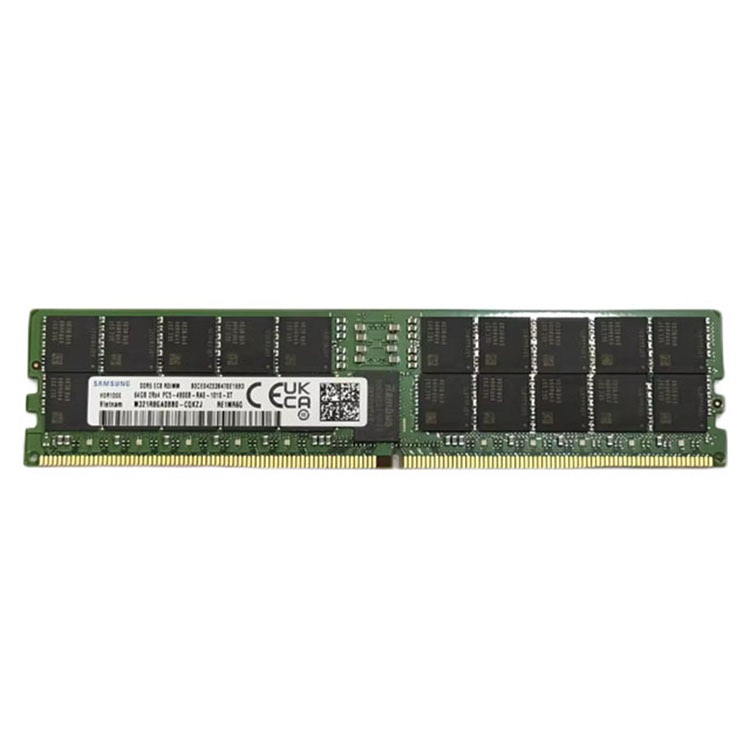
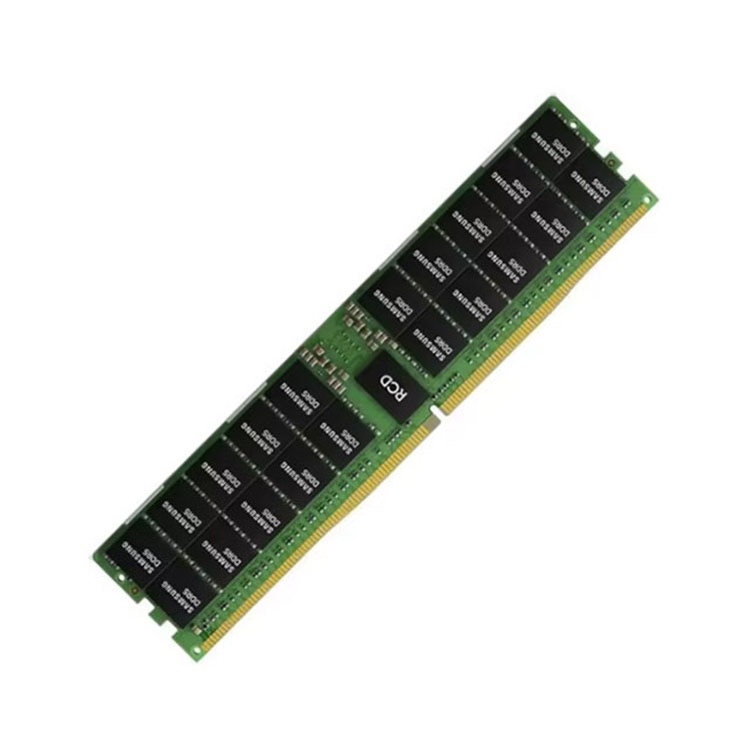
For procurement teams that need real supply paths, I would start by mapping installed platforms against a structured DDR4 server memory catalog and, for newer deployments, a separate DDR5 server memory sourcing path. Mixing those conversations early is how teams buy the wrong thing with confidence.
Mistake 1: Planning from Average Utilization Instead of Peak Working Set
Averages lie.
If a virtualization cluster averages 58% memory use, the lazy conclusion is that it has 42% spare capacity. That number may look fine in a dashboard, but it can collapse when two hosts enter maintenance, a noisy database spills into memory, Kubernetes reschedules pods, or an analytics job pulls a month of hot data into cache.
The better question is not “How much RAM did we use on average?”
The better question is: “What was the largest memory working set we needed while still meeting latency, failover, backup, and maintenance requirements?”
I want the ugly data. Peak-hour memory pressure. Ballooning events. Swap activity. Page faults. NUMA imbalance. Database buffer pool growth. JVM heap ceilings. Hypervisor overhead. Cache hit-rate decay. Memory compression. Host failover impact. That is RAM capacity planning. The rest is decoration.
A real server memory plan should include:
Current installed memory by host, slot, rank, type, and speed
Peak workload memory, not just average memory
Failover model: N+1, N+2, active-active, stretched cluster, or cold standby
Growth assumptions by workload class, not a single flat percentage
Platform limits for Dell PowerEdge R740/R750/R760, HPE ProLiant DL380 Gen10/Gen11, Lenovo ThinkSystem SR650 V2, Supermicro X12/X13, or whatever estate you actually run
Procurement lead time for 32GB, 64GB, 96GB, 128GB, and 256GB modules
Migration plan if the estate moves from DDR4-2933 or DDR4-3200 to DDR5-4800, DDR5-5600, or DDR5-6400
Hard truth: if your capacity model cannot survive one failed host and one badly timed workload spike, it is not a capacity model. It is a hope model.
ServerDimm’s complete guide to buying server memory gets the important framing right: server memory is not chosen by gigabytes alone. It has to match server model, CPU generation, memory channel rules, DIMM type, rank, supported speed, and workload requirement.
Mistake 2: Treating “64GB Server RAM” as a Complete Specification
“64GB” is not a spec.
It is a capacity label, and capacity labels create some of the most expensive mistakes in IT infrastructure capacity planning because they hide the details that actually decide whether the module boots, downclocks, errors, or gets rejected during POST. A 64GB DDR4 ECC RDIMM 3200 2Rx4 is not the same purchasing decision as a 64GB DDR4 LRDIMM, and a 96GB DDR5-5600 RDIMM is not just “a bigger stick.”
Dell’s PowerEdge memory guidance says RDIMMs and LRDIMMs cannot be mixed, and that memory configuration between two CPUs must be identical in size and position in its supported memory configuration guide. That is the kind of boring sentence that saves weekends.
This is why I dislike vague RFQs like “Need best price for server RAM 64GB.” They invite vague answers.
A better RFQ says: “Need 200 units of 64GB DDR4-3200 ECC RDIMM 2Rx4, compatible with Dell PowerEdge R750, quote exact MPN, condition, tested status, warranty, lead time, and accepted alternates.”
That is a sentence procurement can defend.
For buyers building repeatable controls, the server memory sourcing checklist for procurement teams is a natural internal link because it pushes the conversation away from price-only buying and toward compatibility, testing, warranty, and supplier control.
Mistake 3: Forgetting That Capacity Planning Is Now a Supply-Chain Bet
The old assumption was simple: if the budget gets approved, the RAM will be there.
That assumption aged badly.
Reuters reported that the AI boom created an acute global memory shortage, with SK Hynix expecting shortfall conditions to last through late 2027, in its coverage of the memory chip supply crisis. You can disagree about how severe the shortage will be for your exact SKU, but you cannot pretend procurement timing is separate from capacity planning anymore.
Capacity planning used to be a question like: “How much memory will we need?”
Now it is five questions:
How much memory will we need?
Which platforms can physically and electrically support it?
Which DIMM types are still available in volume?
What happens if 64GB, 96GB, or 128GB modules move against us in price?
Do we have approved alternates before the quote expires?
That last question is where I have zero patience for amateur buying. If the team has no approved alternate MPNs, no brand flexibility across Samsung, Micron, SK hynix, or Kingston, no lot-control requirement, and no tested-used policy for legacy DDR4 estates, then “server capacity planning” is just a forecast with no execution muscle.
ServerDimm’s analysis of which server memory capacities and types are most in demand points to the split I would expect in the market: 32GB and 64GB DDR4 ECC RDIMMs still matter for installed-base support, while 64GB, 96GB, and 128GB DDR5 ECC RDIMMs show up in denser virtualization, analytics, and AI-adjacent planning.
So yes, RAM capacity planning is technical.
But it is also commercial. If you model 96GB DDR5-5600 RDIMMs and then discover the price moved, the lead time stretched, or the supplier substituted a different rank profile without review, your model did not fail in Excel. It failed in the real world.
Mistake 4: Confusing “More Memory” with “Better Memory Architecture”
More RAM can be the wrong answer.
A database server starved by memory capacity needs more RAM. A virtualization host losing bandwidth because channels are unbalanced may need a better DIMM population plan. An analytics node bottlenecked by memory bandwidth may benefit from fewer, faster DIMMs per channel rather than stuffing every slot. A workload throwing page faults because the heap is misconfigured may need software discipline before hardware.
This is where server memory planning gets uncomfortable. Infrastructure teams like buying their way out of pain because buying feels decisive. But capacity is not only volume. It is placement, bandwidth, latency, resilience, and recoverability.
For example:
1DPC can preserve higher memory speeds on many platforms.
2DPC can increase capacity but may reduce operating speed.
Dual-socket systems need symmetry for supported and performant layouts.
NUMA-aware workloads behave differently when memory is local versus remote.
ECC memory reduces certain error risks, but it does not fix poor population rules.
LRDIMM can support higher capacities in some platforms, but it is not interchangeable with RDIMM.
DDR5 can bring higher bandwidth and density, but only if the platform supports it and the workload benefits.
I would also look hard at warranty and test evidence. Server memory is not a decorative component. It sits under databases, ERP systems, hypervisors, storage controllers, AI pipelines, VDI farms, backup jobs, and customer-facing applications. If a supplier cannot explain testing, warranty, and RMA handling, I do not care how attractive the line-item price looks.
Mistake 5: Learning from Outages Only After They Happen
The best capacity planners read incident reports like financial analysts read earnings calls.
Google Cloud’s June 2025 incident involved increased 503 errors across Google Cloud, Google Workspace, and Google Security Operations products, with a three-hour incident window and a quota-policy failure path described in its official incident report. That was not a DIMM-purchasing case study. But it is absolutely a capacity-planning lesson: automated controls, quota systems, metadata propagation, and regional recovery paths can become failure multipliers when they are not tested against ugly scenarios.
There is also an older Google Cloud case worth reading. In December 2020, Google reported a 50-minute global authentication-related outage caused by an automated quota management issue that reduced capacity for a central identity management system in its Cloud status incident record. Again, not “server RAM failed.” But capacity logic failed in a way users could feel.
So what is the server memory lesson?
Do not model only the normal path.
Model the ugly path:
A host fails during peak traffic.
A firmware update changes memory recognition behavior.
A supplier ships an alternate module with a different rank.
A cluster enters maintenance while backup windows overlap.
A VM memory reservation blocks consolidation.
A database buffer pool grows after a schema or workload change.
A cloud quota, internal limit, or automation rule blocks recovery.
A legacy DDR4 platform needs emergency expansion when DDR4 availability is worse than expected.
Uptime Institute’s Annual Outage Analysis 2025 is useful reading here because it keeps the outage conversation grounded in causes, consequences, and operational complexity. That is where professional capacity planning belongs: not in the fantasy that every system behaves normally, but in the discipline of asking what fails when assumptions collide.
How to Calculate Server Memory Requirements Without Lying to Yourself
Here is the working method I trust.
First, inventory the physical truth. Record server model, CPU count, CPU generation, current DIMM map, installed capacity, module type, rank, speed, firmware level, and workload role. Do not let anyone skip the slot map. The slot map is where the bodies are buried.
Second, measure workload behavior. Use 30 to 90 days of telemetry where possible. Capture peak memory consumption, committed memory, active memory, swap, page faults, cache behavior, ballooning, database memory allocation, container limits, and hypervisor overhead. One week is often too short. Averages are too soft.
Third, model failure and maintenance. If you run N+1, prove it. If you run N+2, prove that too. If a host enters maintenance and your remaining hosts cannot absorb workload memory without ballooning or swap, you are already under-provisioned.
Fourth, apply platform rules. Confirm whether the platform supports DDR4 or DDR5, ECC RDIMM or LRDIMM, maximum capacity per socket, DIMMs per channel, speed behavior at 1DPC or 2DPC, and whether mixed capacities are supported. This is where Dell, HPE, Lenovo, Supermicro, Intel Xeon, and AMD EPYC rules matter more than opinion.
Fifth, add procurement reality. If the plan depends on 128GB DDR5 RDIMMs, validate price, availability, warranty, approved brands, exact MPNs, lead time, and alternates. If it depends on older DDR4-2666 or DDR4-3200 modules, confirm that tested inventory is actually available before the maintenance calendar is published.
But the formula is only useful if the inputs are honest. I usually want 20% to 30% growth buffer for ordinary enterprise workloads, more for analytics, AI-adjacent compute, in-memory databases, VDI, high-churn Kubernetes clusters, or environments where procurement cycles are slow.
Not pretty. Useful.
FAQs
What is server memory capacity planning?
Server memory capacity planning is the process of calculating how much ECC RAM a server fleet needs now and later, based on workload behavior, CPU sockets, DIMM population rules, virtualization density, failover headroom, and procurement lead time, not just the total gigabytes printed on a quote.
In practice, that means joining engineering data with buying discipline. A good plan covers DDR4 or DDR5 generation, RDIMM or LRDIMM support, rank, speed, slot population, growth assumptions, and the cost of getting the wrong module during a short maintenance window.
How do you calculate server memory requirements?
Server memory requirements are calculated by adding peak workload memory, operating system overhead, hypervisor overhead, failover headroom, expected growth, and an operational reserve, then checking the result against platform memory population rules, supported DIMM types, CPU socket layout, channel limits, and real procurement availability.
The mistake is using only average usage. Use peak working set, not comfort metrics. If the workload is a database, VDI farm, Kubernetes cluster, analytics platform, or virtualization host, check swap, page faults, memory ballooning, cache pressure, and failover scenarios before buying.
What are the most common server memory planning mistakes?
The most common server memory planning mistakes are buying by capacity alone, ignoring RDIMM versus LRDIMM rules, using average utilization instead of peak demand, skipping CPU socket symmetry, forgetting failover headroom, underestimating procurement lead time, and treating DDR4 and DDR5 decisions as simple price comparisons.
These mistakes usually look harmless during quoting. They become expensive during installation. A bad memory plan can cause failed POST, unexpected downclocking, unstable workloads, missed maintenance windows, emergency purchasing, and capacity shortfalls that were visible months earlier in telemetry.
Is DDR5 server memory always better than DDR4 for capacity planning?
DDR5 server memory is not always better than DDR4 because the right choice depends on the server platform, workload bandwidth needs, density target, refresh timing, budget, existing installed base, and whether the team is expanding legacy systems or building new infrastructure from scratch.
For new platforms, DDR5-4800, DDR5-5600, and DDR5-6400 modules may fit higher-density planning. For existing fleets, DDR4-2933 or DDR4-3200 may still be the economically correct choice if compatibility, warranty, tested supply, and lifecycle risk are properly controlled.
Why does RDIMM vs LRDIMM matter in server capacity planning?
RDIMM versus LRDIMM matters because these server memory types use different buffering designs, support different capacity paths, and often cannot be mixed in the same server, which makes the distinction a platform rule rather than a purchasing preference or brand-level substitution.
This is one of the easiest ways to wreck a quote. A buyer sees ECC, capacity, and speed. The server sees electrical load, rank, memory controller behavior, and population rules. The server wins that argument every time.
Your Next Step: Stop Buying RAM from Vague Assumptions
Before the next server memory purchase, build a one-page approval packet.
Include the server model, CPU count, current slot map, target capacity, workload profile, peak memory evidence, failover requirement, DDR generation, DIMM type, rank, speed, approved MPNs, accepted alternates, warranty requirement, and deployment deadline. Then send that packet to a supplier that can answer in the same level of detail.
If you are planning DDR4 maintenance, DDR5 expansion, ECC RDIMM upgrades, LRDIMM high-density builds, or bulk server RAM procurement, start by reviewing ServerDimm’s bulk server RAM supplier page, compare the relevant DDR4 server memory or DDR5 server memory category, and request a quote with exact platform details.
ServerDimm supplies new and used branded server memory for distributors, OEM buyers, resellers, and data center teams. We support DDR4 and DDR5 sourcing with tested inventory, compatibility checks, and responsive quote service.